

Most of these actions start the same way: log in, open the My Plan module, and click View Plan (or Upgrade if you’re on the trial). Plan and payment changes are handled on the Stripe billing pages.
How does Pickcel’s licensing model work?
Pickcel has four licensing models, so you can match your plan to your scale and hosting needs:- Professional: the entry cloud plan for everyday digital signage.
- Business: a cloud plan that includes everything in Professional plus premium apps such as Zoom, Queue Management, Visitor Management, Discount Management, Stream, and Flight.
- Enterprise: for large deployments that need licenses for more than 250 displays, with terms tailored to your rollout.
- On-premise: a self-hosted deployment that runs Pickcel on your own servers instead of the cloud.
Who can become an Enterprise user?
You can move to Enterprise when you need licenses for more than 250 displays. Any existing Trial, Professional, or Business account can be converted to Enterprise. See the pricing page or contact support.How do I upgrade or change my plan?
- Log in and open the My Plan module, then click View Plan. (Trial users: see how to upgrade from the trial plan.)
- Click Update Plan.
- To change plan type, select Business (or your target plan); to switch billing cycle, choose Monthly or Yearly.
- Click Continue, then Confirm.
How do I add or reduce screen licenses?
- Open the My Plan module and click View Plan, then Update Plan.
- Set the number of screens with the + / − buttons (e.g. to go from 2 to 4, click + twice).
- Click Continue, then Confirm.
How do I renew or restart my plan?
If you cancelled your plan from the billing portal but your account is still active, you can reactivate it from the same place:1
Open the billing page and click Renew plan
Open the My Plan module and click View Plan. On the Stripe billing page, your Current Plan shows as Canceled. Click Renew plan.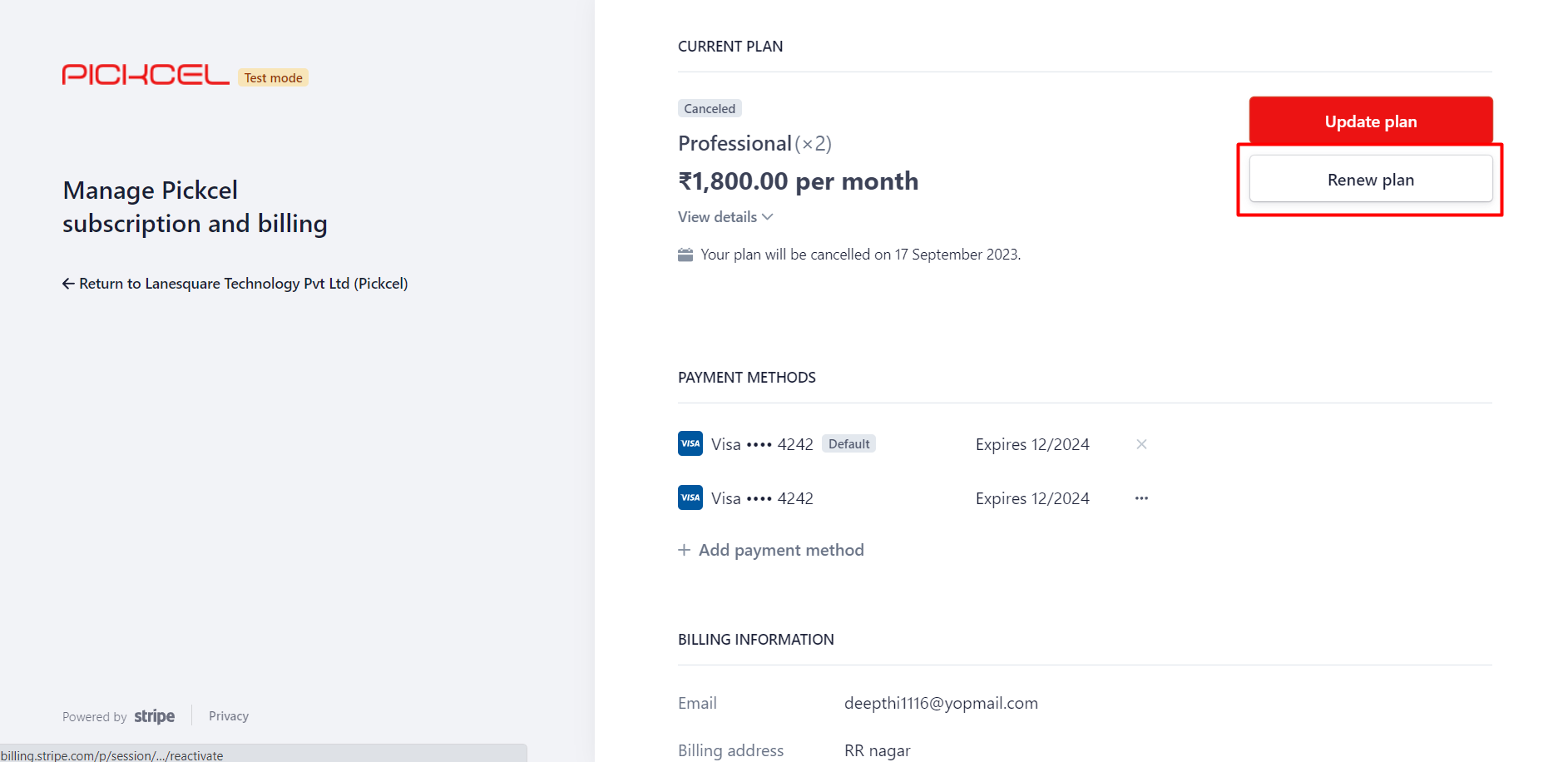
2
Confirm the renewal
On the Renew your plan page, review the plan and renewal date, then click Renew plan to confirm.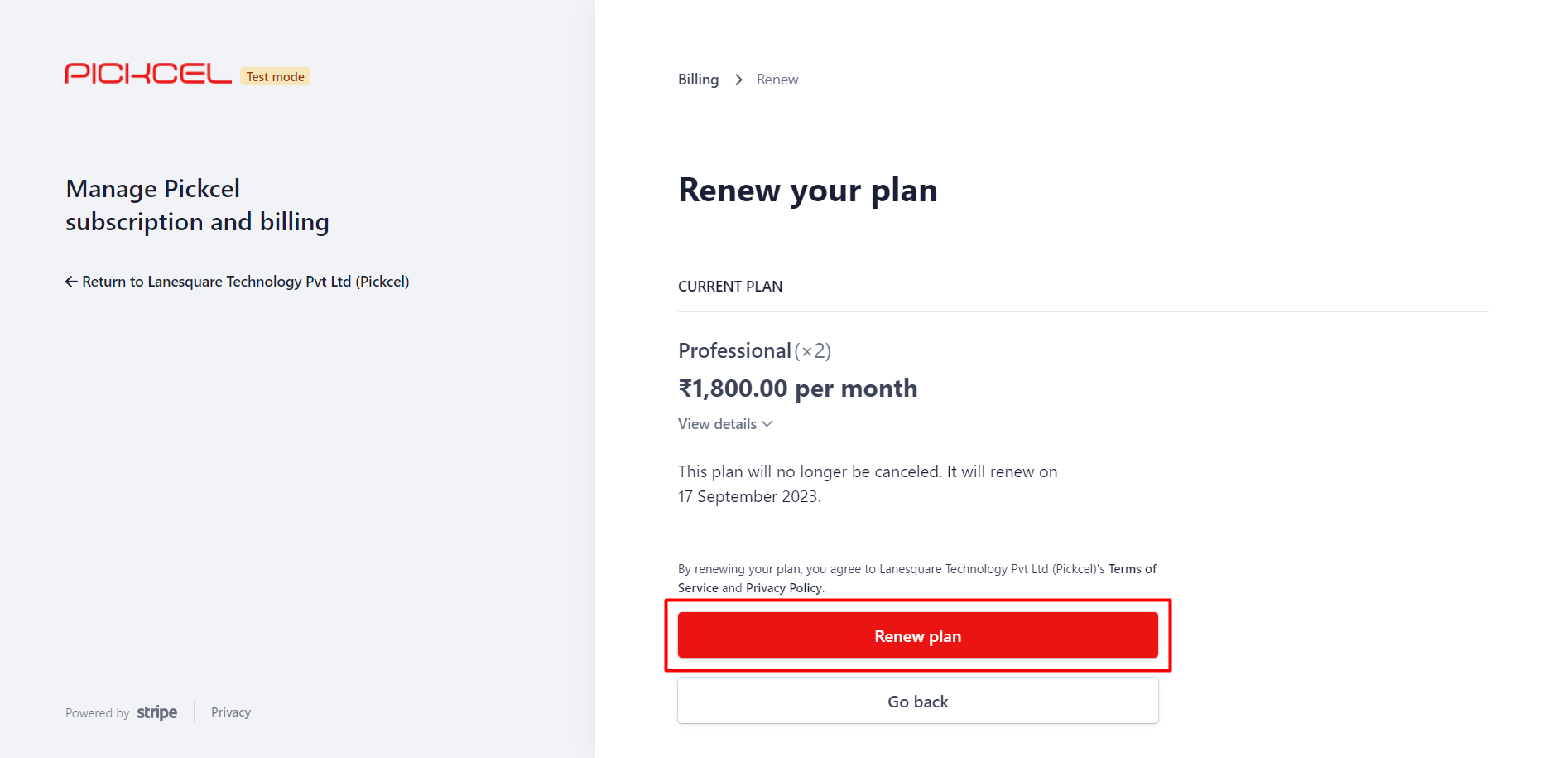
3
Check the renewed status
Your Current Plan now shows the renewal date instead of a cancellation notice, confirming the plan is active again.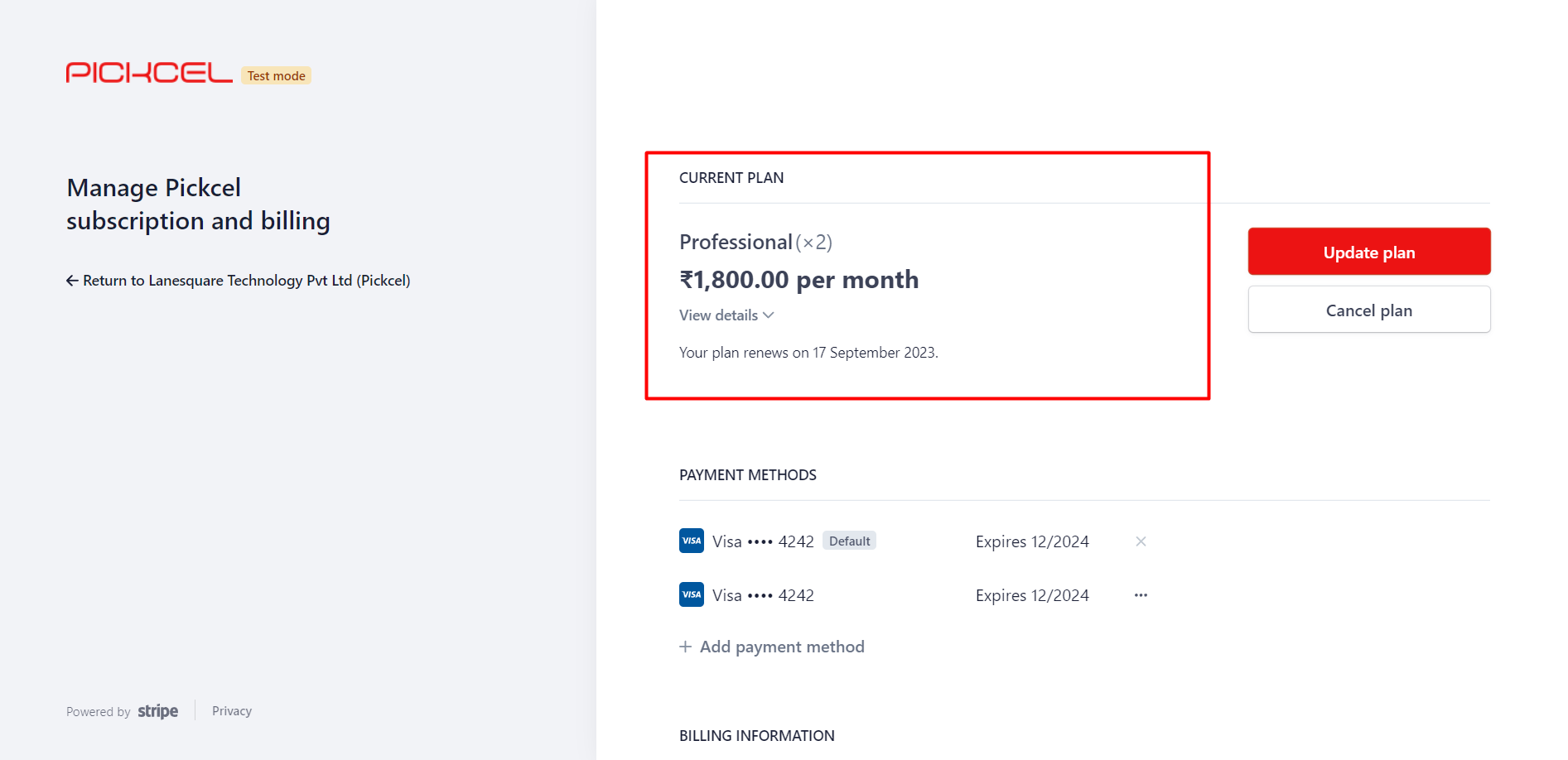
4
Return to Pickcel
Click Return to Pickcel in the top-left to go back to the console.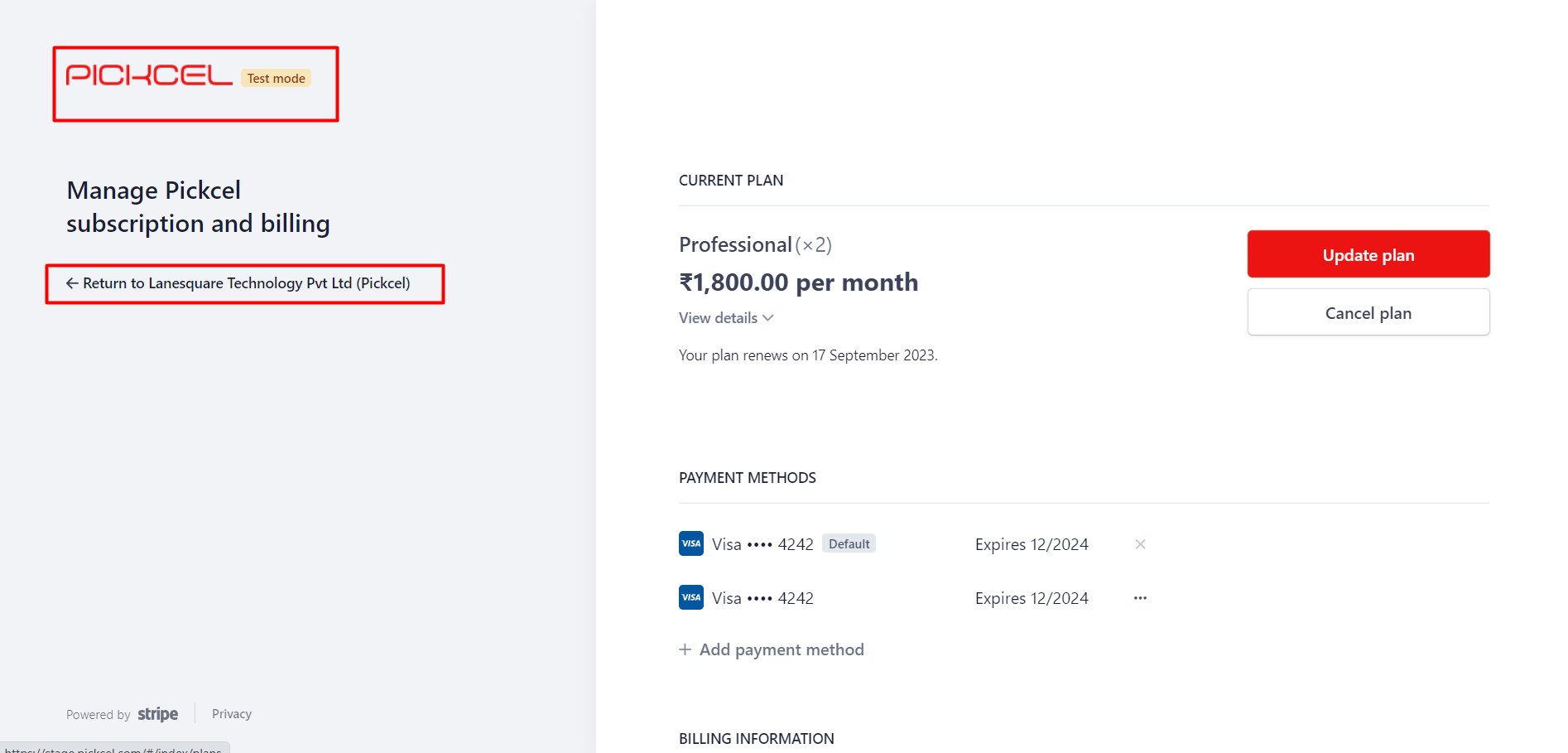
How do I change my saved card details?
You can add a new card and set it as your default from the Stripe billing page:1
Open your plan
Log in to the console, open the My Plan module, and click View Plan. You’re taken to the Stripe billing page.
2
Add a payment method
Click Add payment method.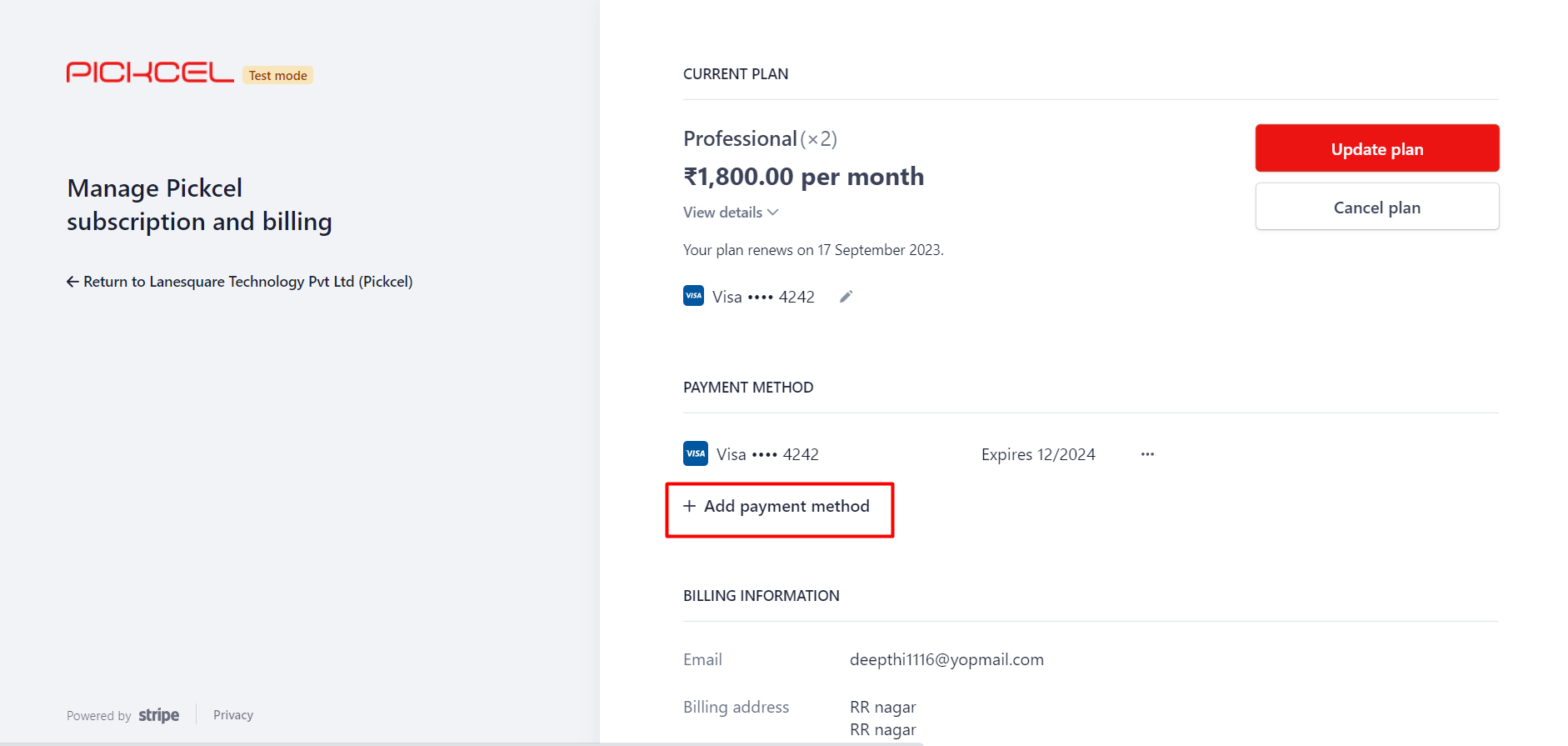
3
Enter the card details
Enter the new card details and click Add.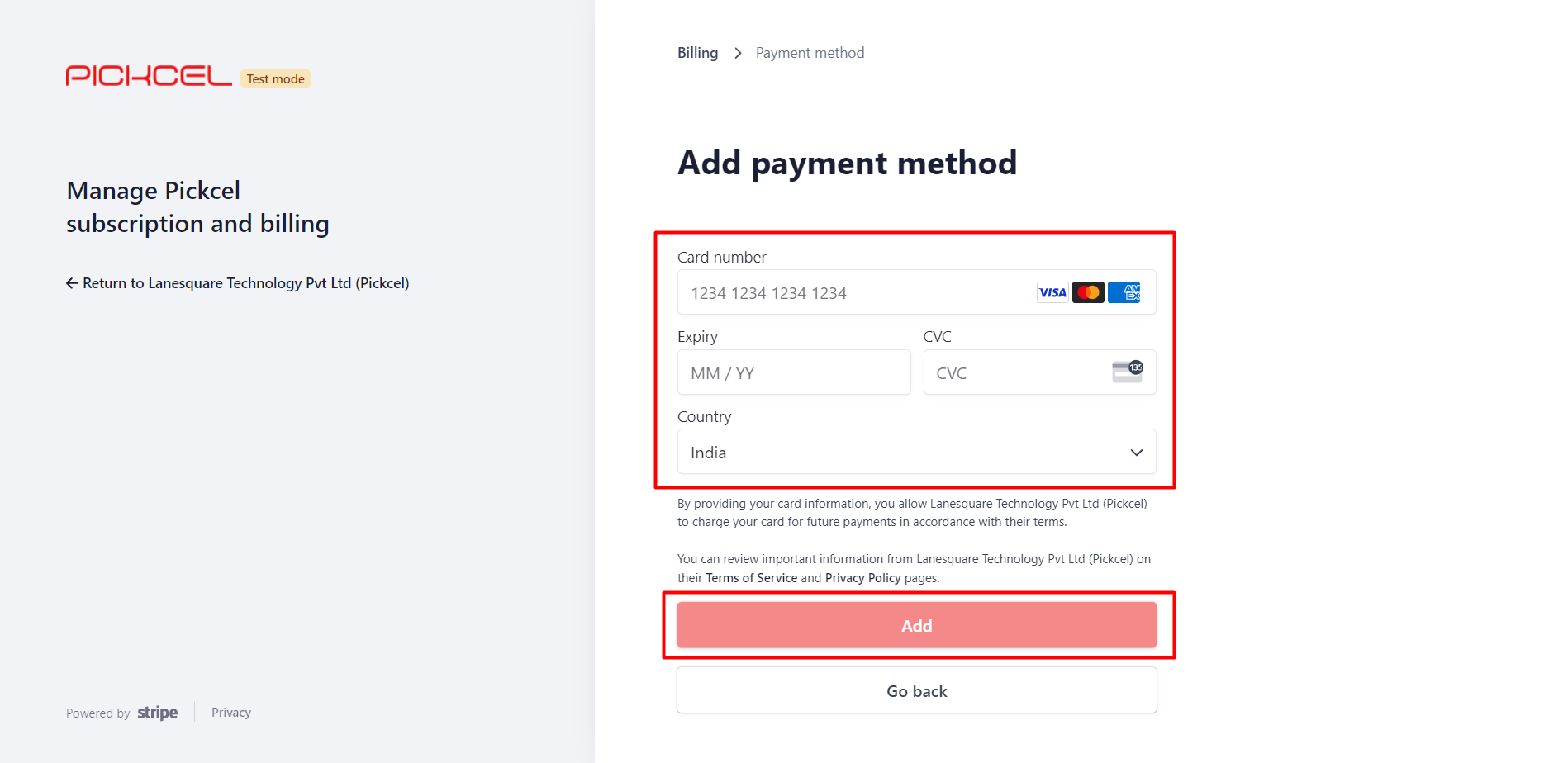
4
Make it the default
The new card appears in the list. Click the three dots next to it and choose Make default to use it for future payments.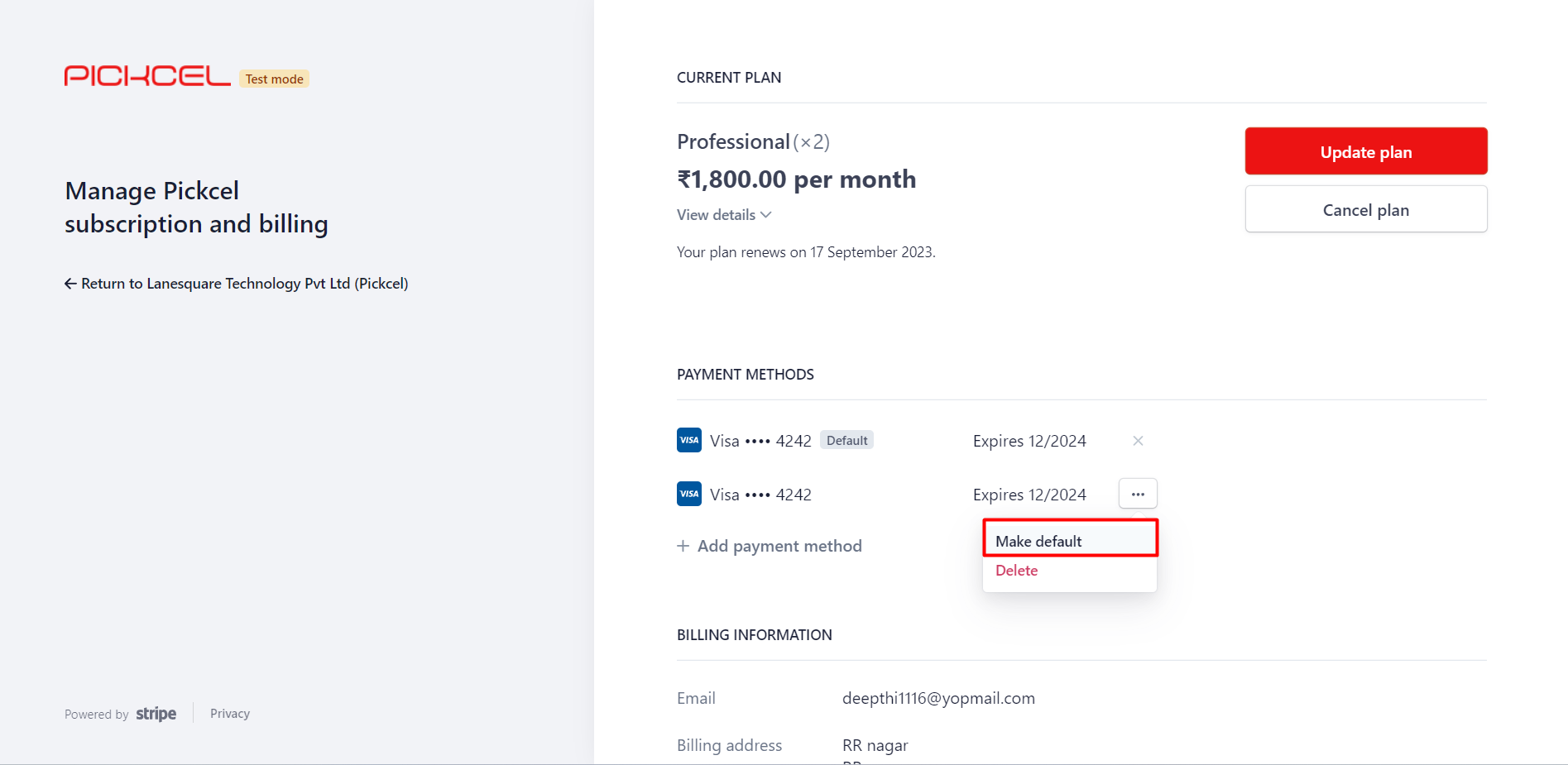
5
Delete a card (optional)
To remove a card, open its three dots menu and choose Delete.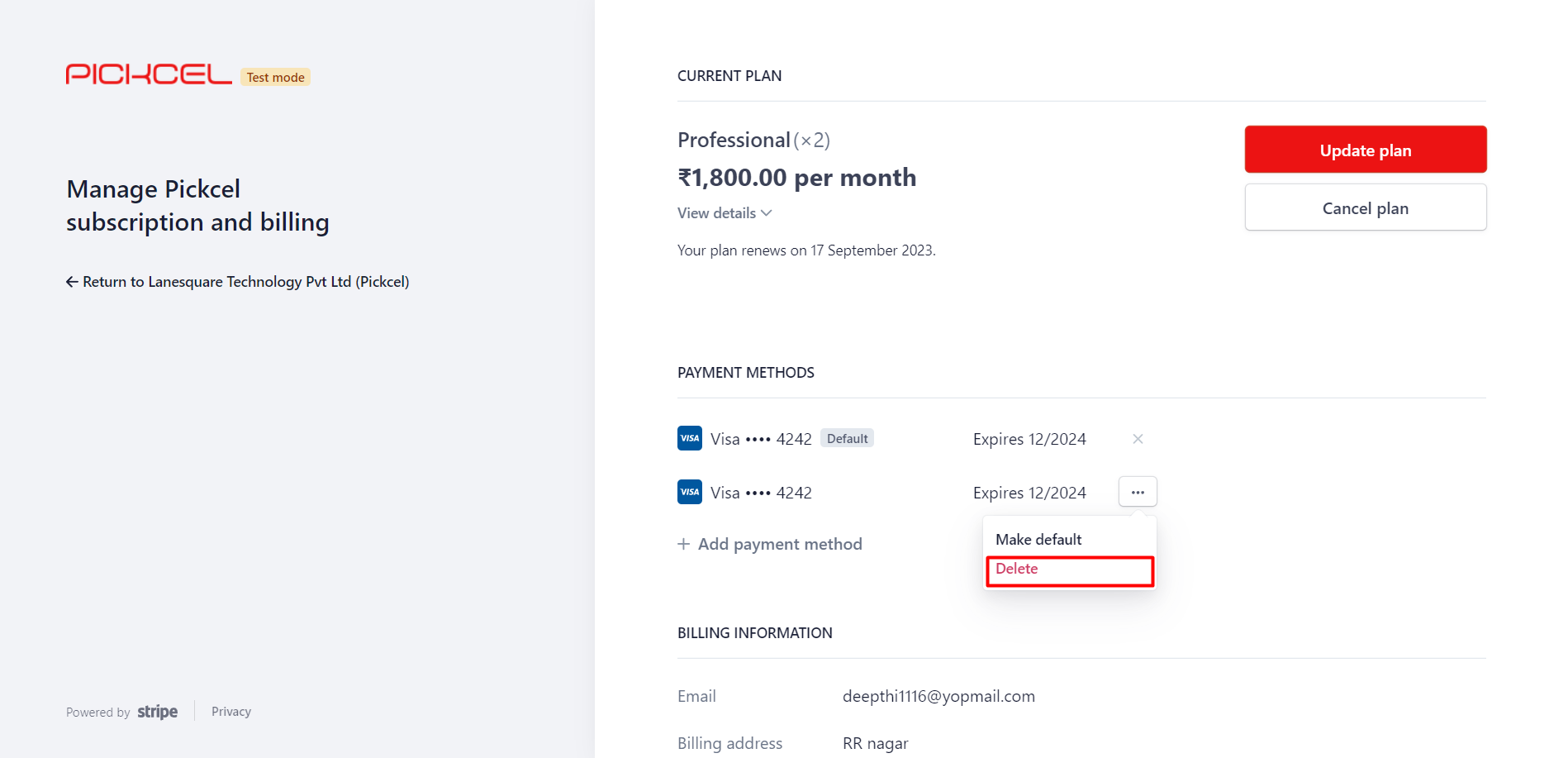
You can’t delete a card that’s set as default, since it’s used for your active plan. Make another card default first.
How do I update my billing address?
- Sign in and open My Plan: click Upgrade (trial) or View Plan (active).
- Go to Billing Information and choose Update Information.
- Edit your address and email ID, then click Save.
How do I add a GST number I forgot during billing?
There’s currently no self-service option to update GST details in the console. Contact support and the team will add or update your GST information so your billing stays accurate.How do I apply a promo code?
You add a promo code while upgrading your plan. For the full steps, see how to apply coupons.Promo codes may or may not work depending on their validity. If you run into any issues or have questions about using a promo code, reach out to our sales team for assistance.
Why does my card keep getting declined?
Card declines have several common causes:- Incorrect or expired card details: re-check the number and validity.
- Credit limit exceeded: confirm your limit hasn’t been reached.
- Suspicious-activity block: your bank may flag the charge; contact them to approve it.
- Bank restrictions on recurring payments: ask your bank to allow them.
- Card limitations: make sure the card permits recurring and online transactions.
How do I access my invoices and receipts?
1
Open Invoice History
Open the My Plan module and click View Plan. Scroll to Invoice History and click the new-tab icon next to the invoice date.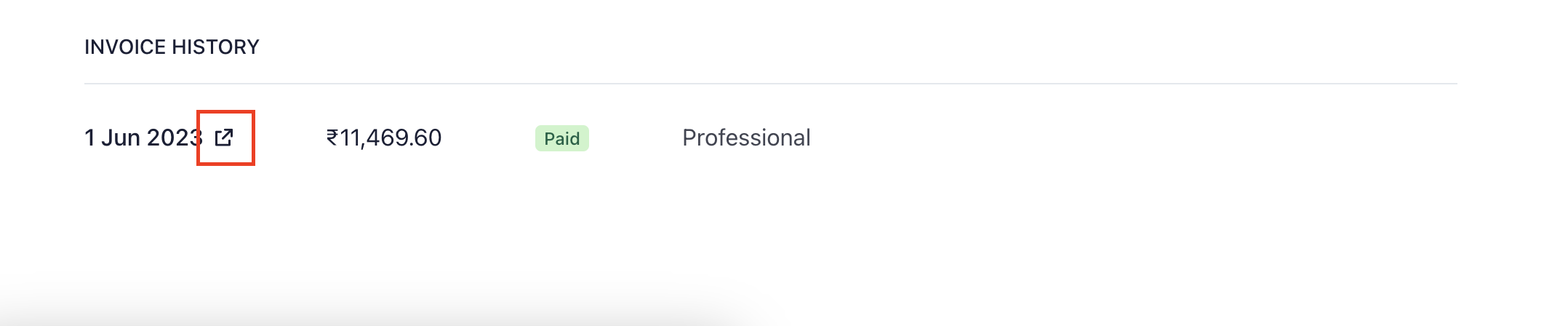
2
Download the invoice and receipt
The invoice opens in a new tab. Click Download invoice or Download receipt to save your Invoice and Payment Receipt.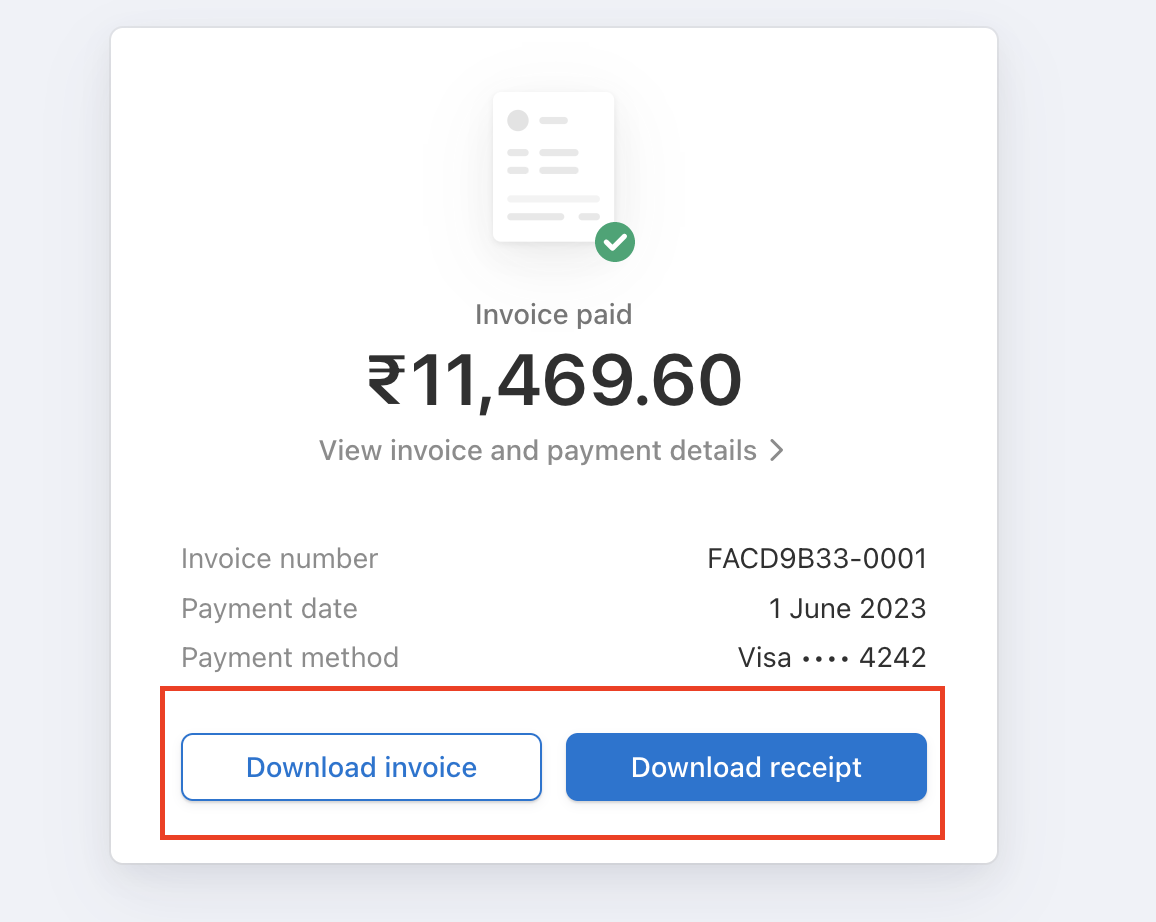
How do I permanently delete my account?
Account deletion isn’t available from the dashboard. Contact support to start the permanent-deletion process. If you only want to stop billing, you can cancel your subscription anytime from your plan settings.Related guides
Billing & Plans
Trial, billing cycle, payment methods, cancellation, and refunds.
Upgrade from Trial
Move from the free trial to a paid plan.
Account & Login
Account Cancelled, Trial expired, and other login messages.
Back to FAQs
Browse all Pickcel FAQ articles.