

1
Go to My Plan
Log in to your Pickcel console. From the left-hand menu, navigate to My Plan and click on the Upgrade Now button.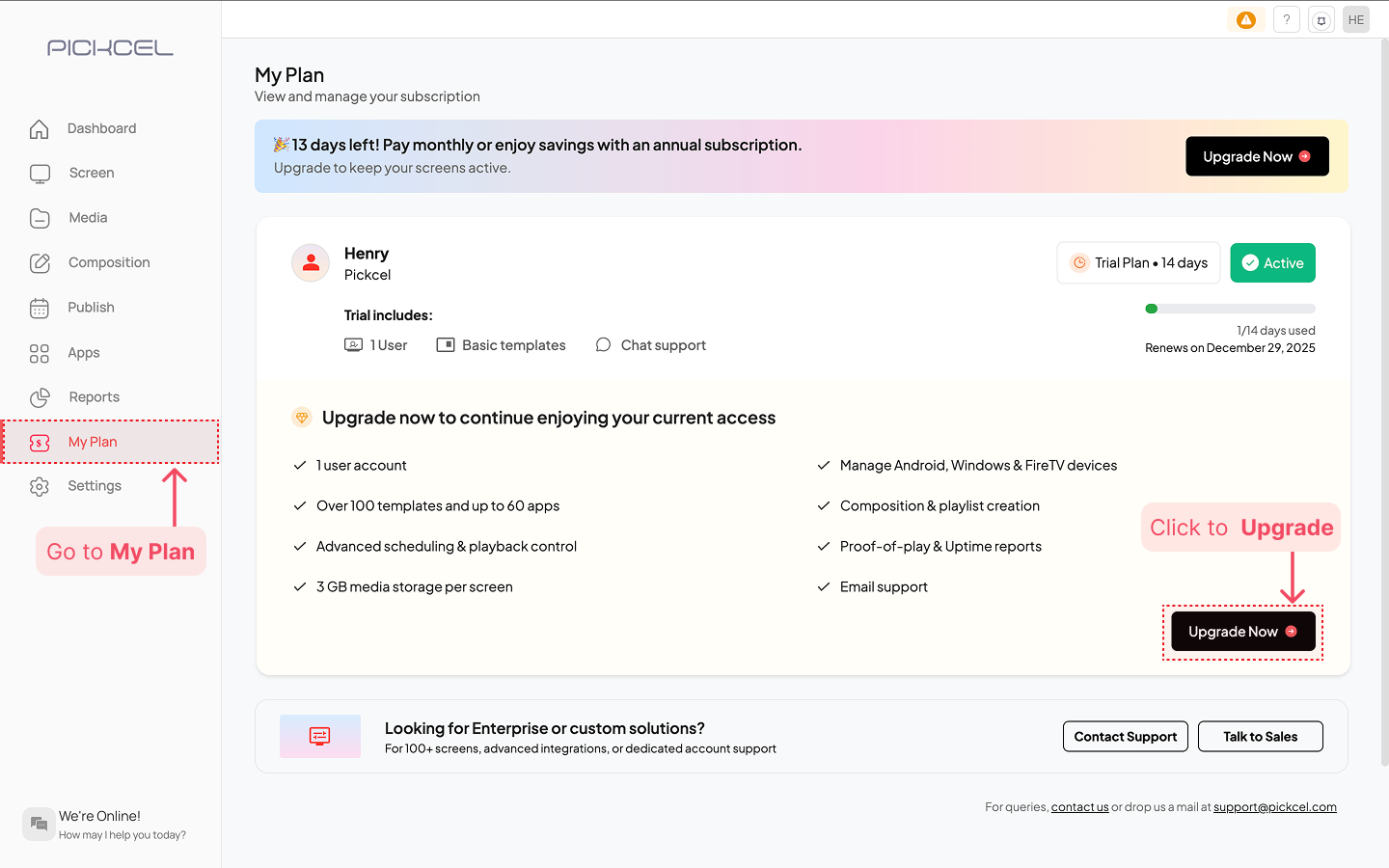
2
Choose Your Plan
Select your preferred billing cycle (Yearly or Monthly) and then choose either the Professional or Business plan based on the features that best fit your business needs.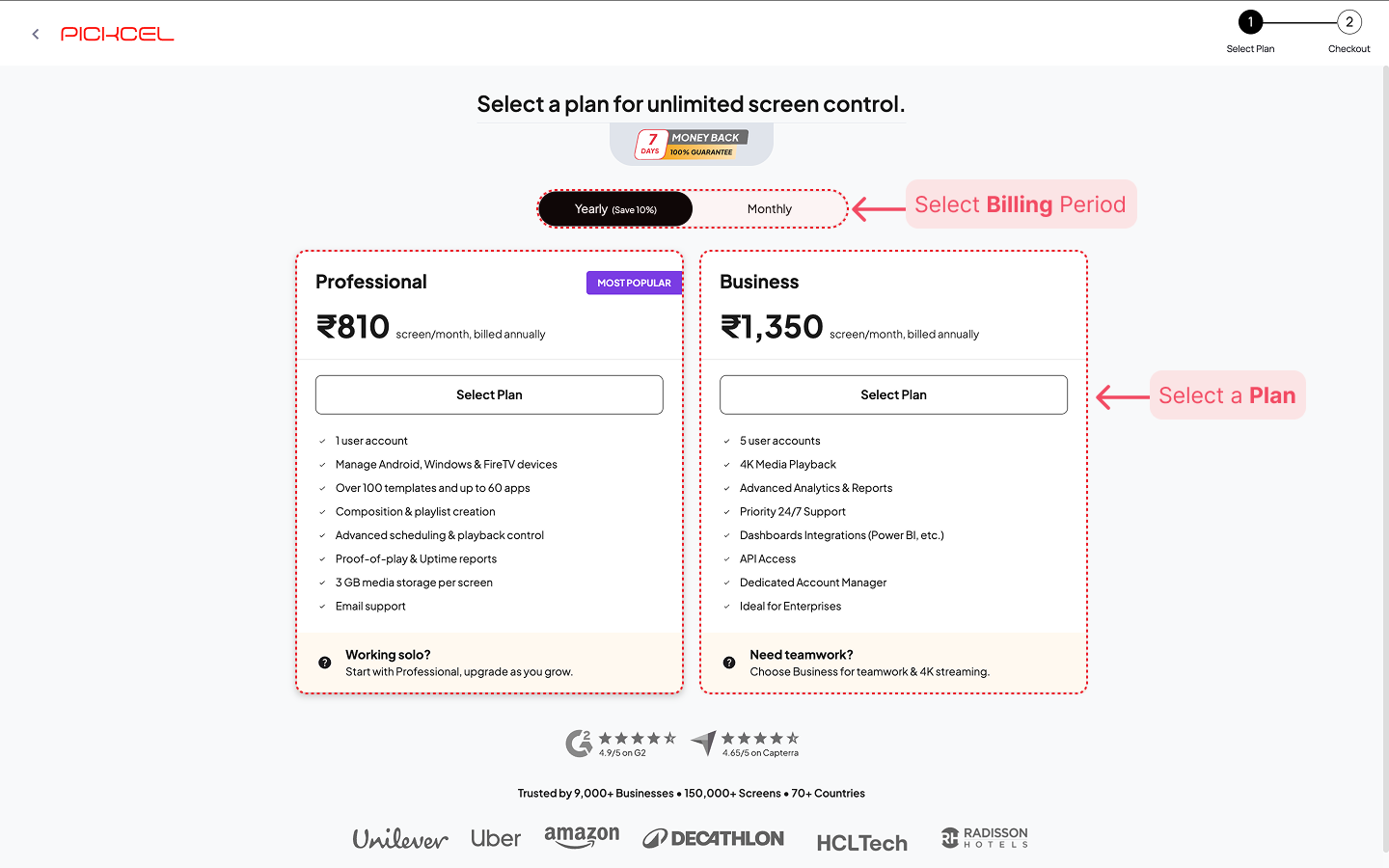 Click the Select Plan button on your preferred option.
3
Customize Your Subscription
You will be directed to the Your Cart page. Here, you can set the screen licenses. By default, the plan includes 1 screen license.Use the (+) button in the screen counter to add the exact number of screens you want to manage.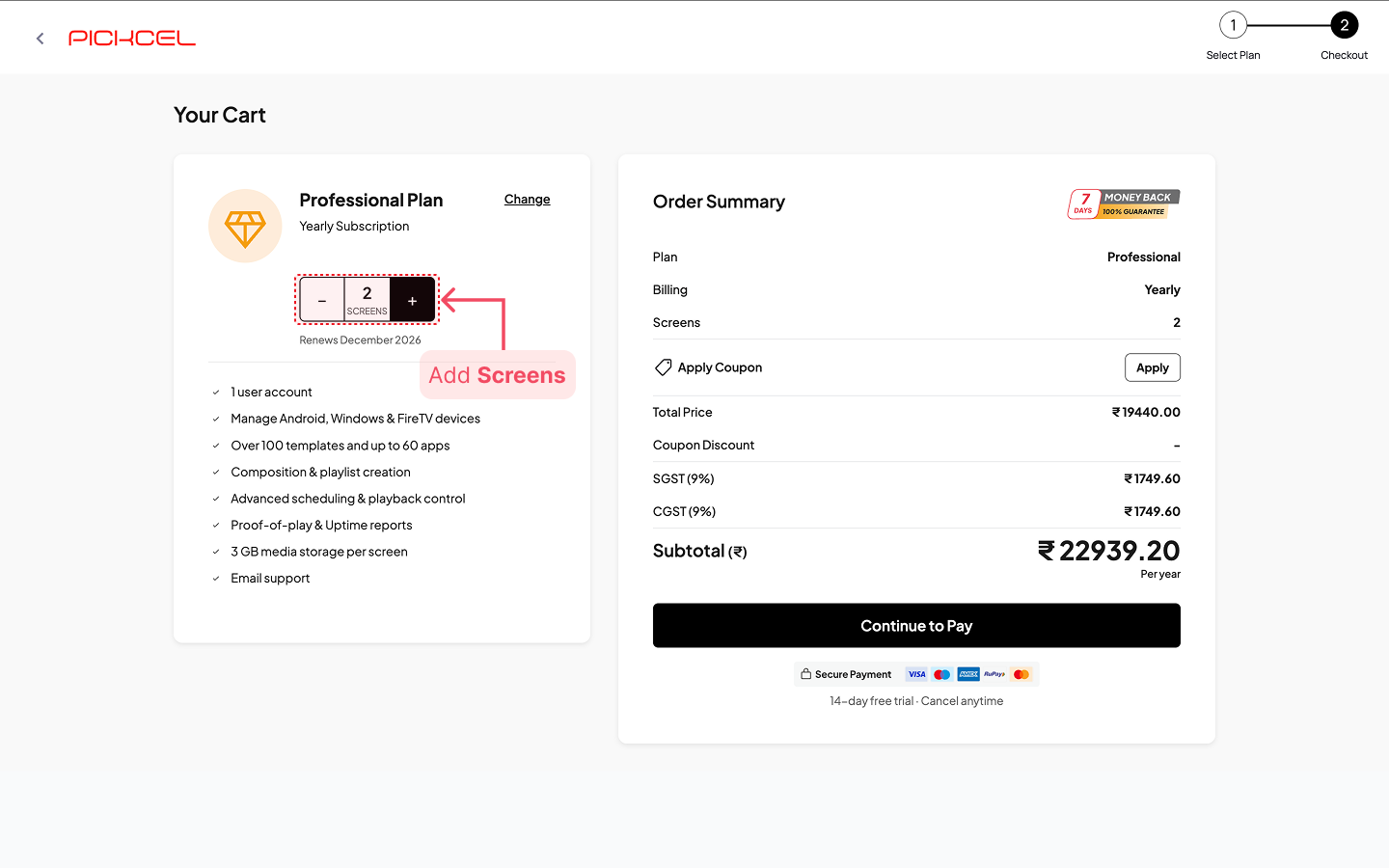
Check the renewal date displayed below the counter to know when your next billing cycle begins.
4
Apply Coupons (If Available)
Learn How to Apply Coupons
Learn How to Apply Coupons
If you have a promotional code, you can apply it in the Order Summary section on the right:-> Click the Apply button next to “Apply Coupon.”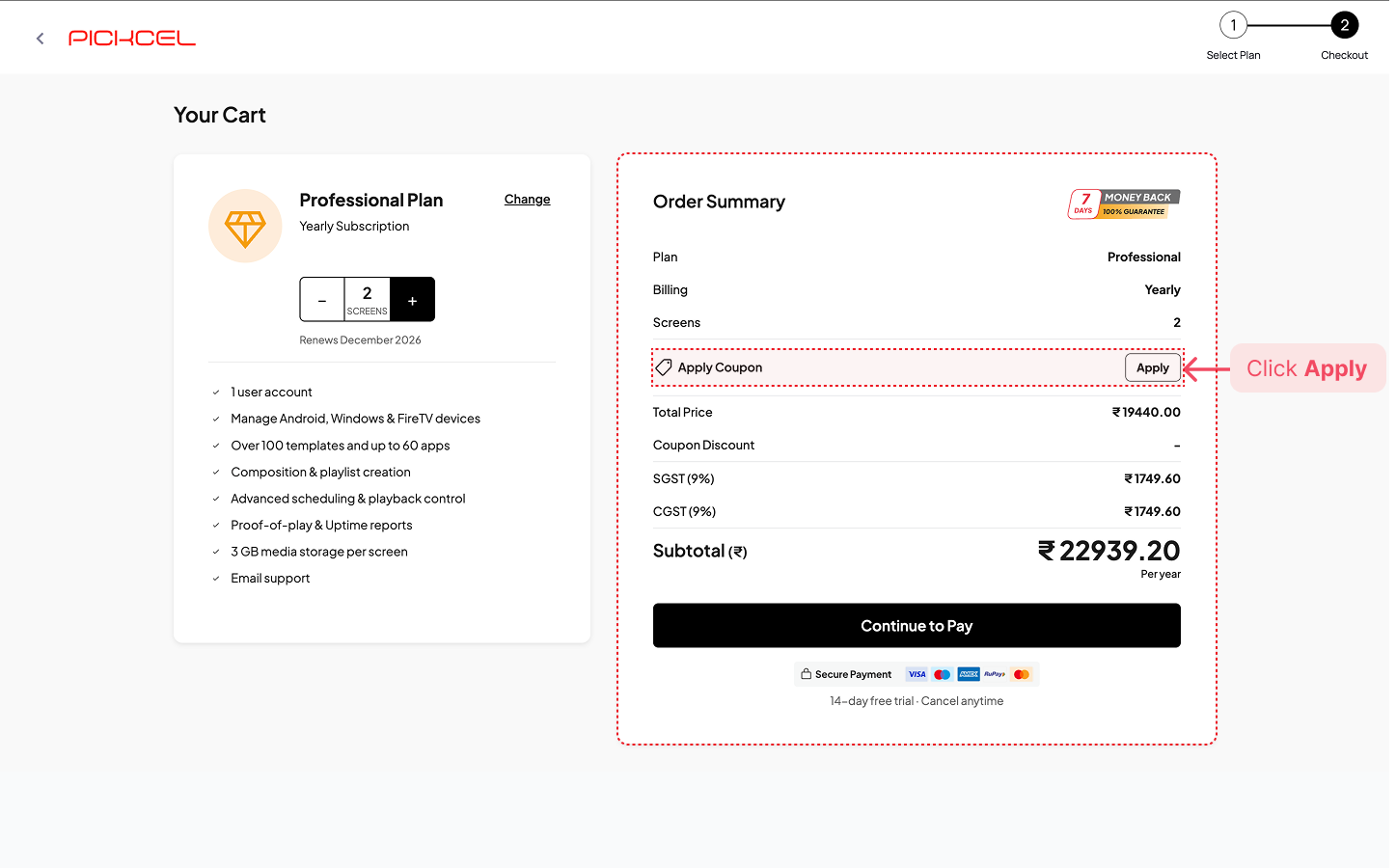 -> Enter the coupon code or select from the list of available/active coupon codes, click Apply.
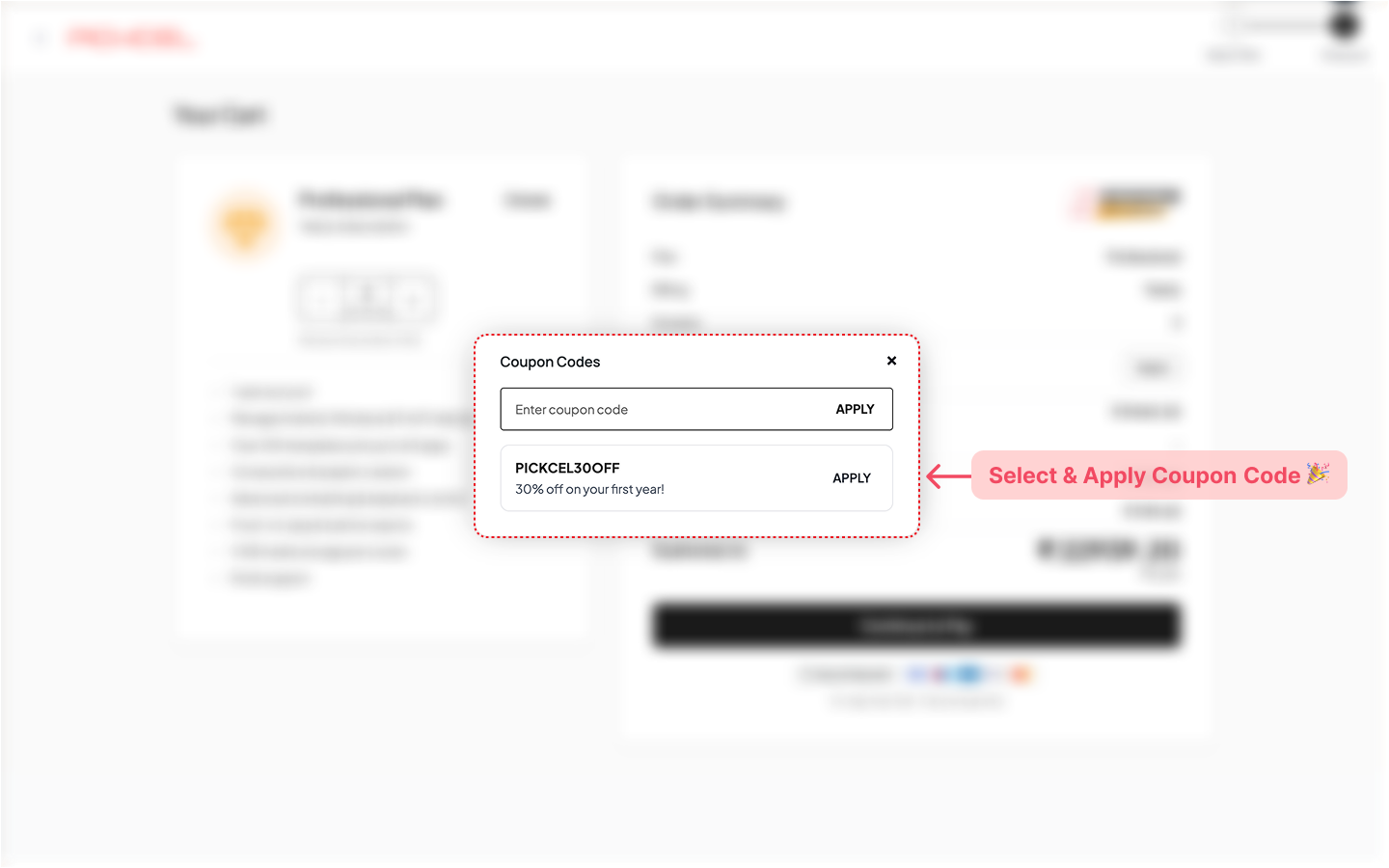 -> If valid, the discount will immediately reflect in your total payable amount.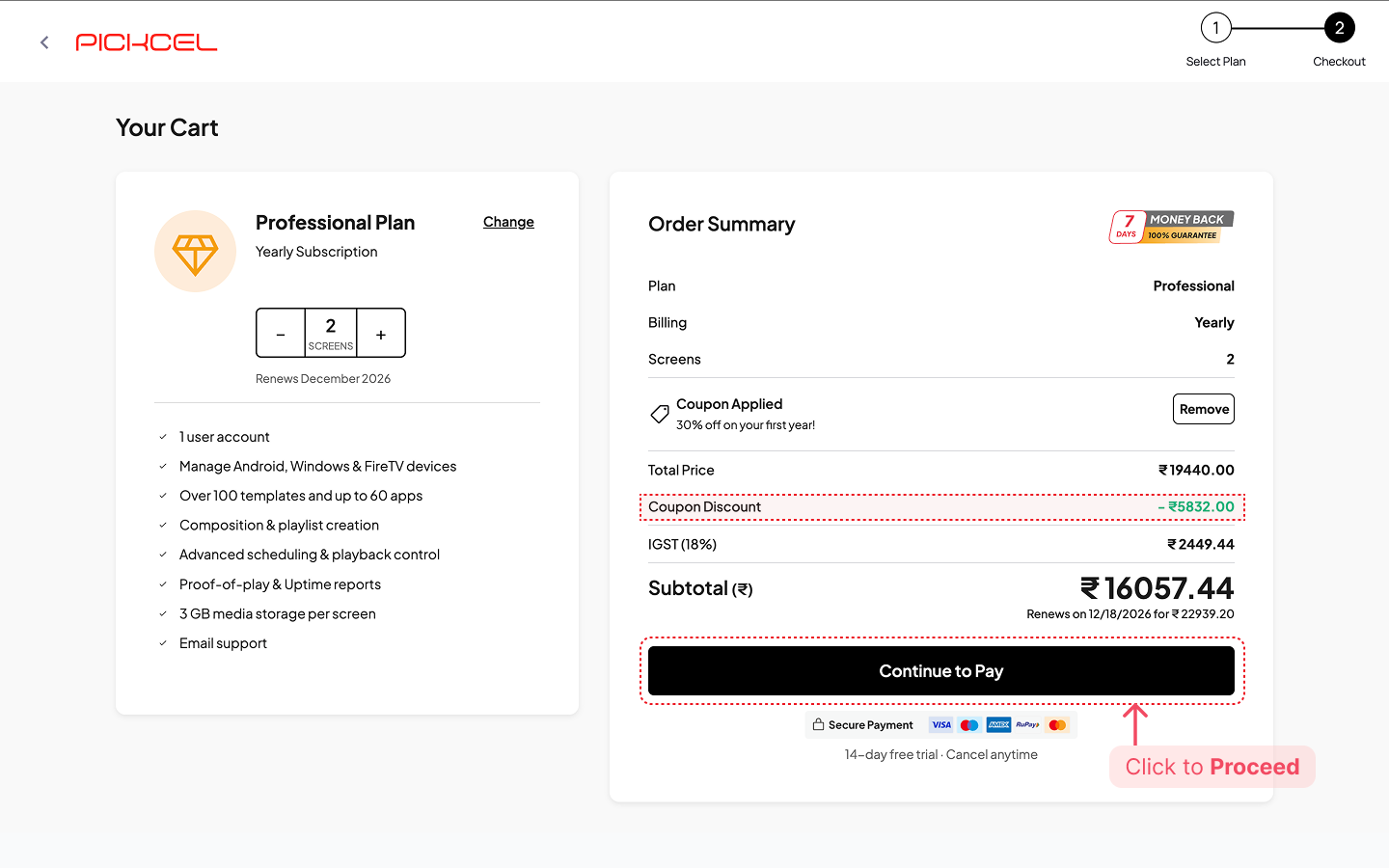
-> Available coupons will also be listed automatically in the checkout page when we’re running special offers.-> Keep an eye on our website where we showcase active promotions and discount codes in a banner 🎉.
5
Checkout and Payment
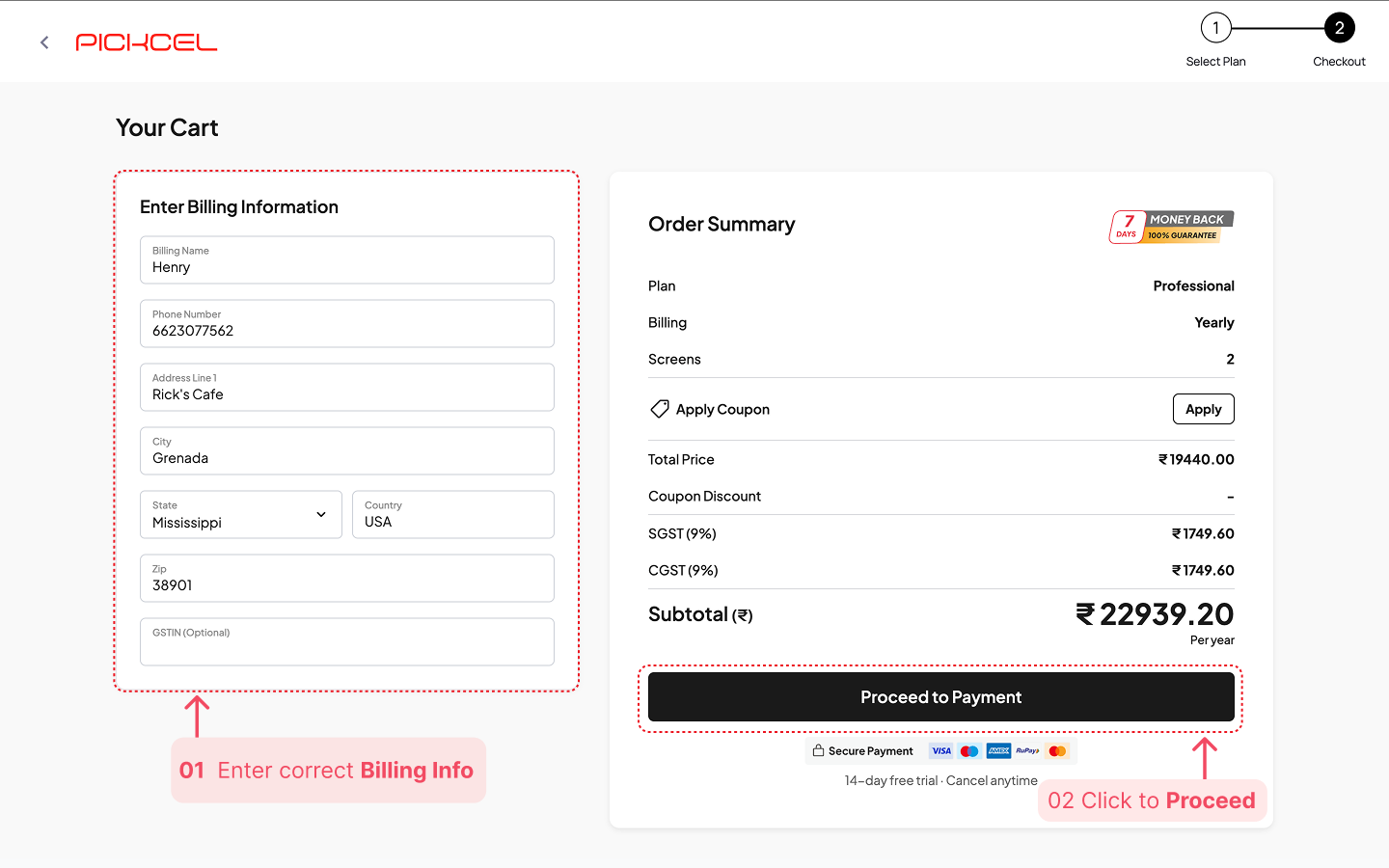
Once you have reviewed your order summary, click on Continue to Pay.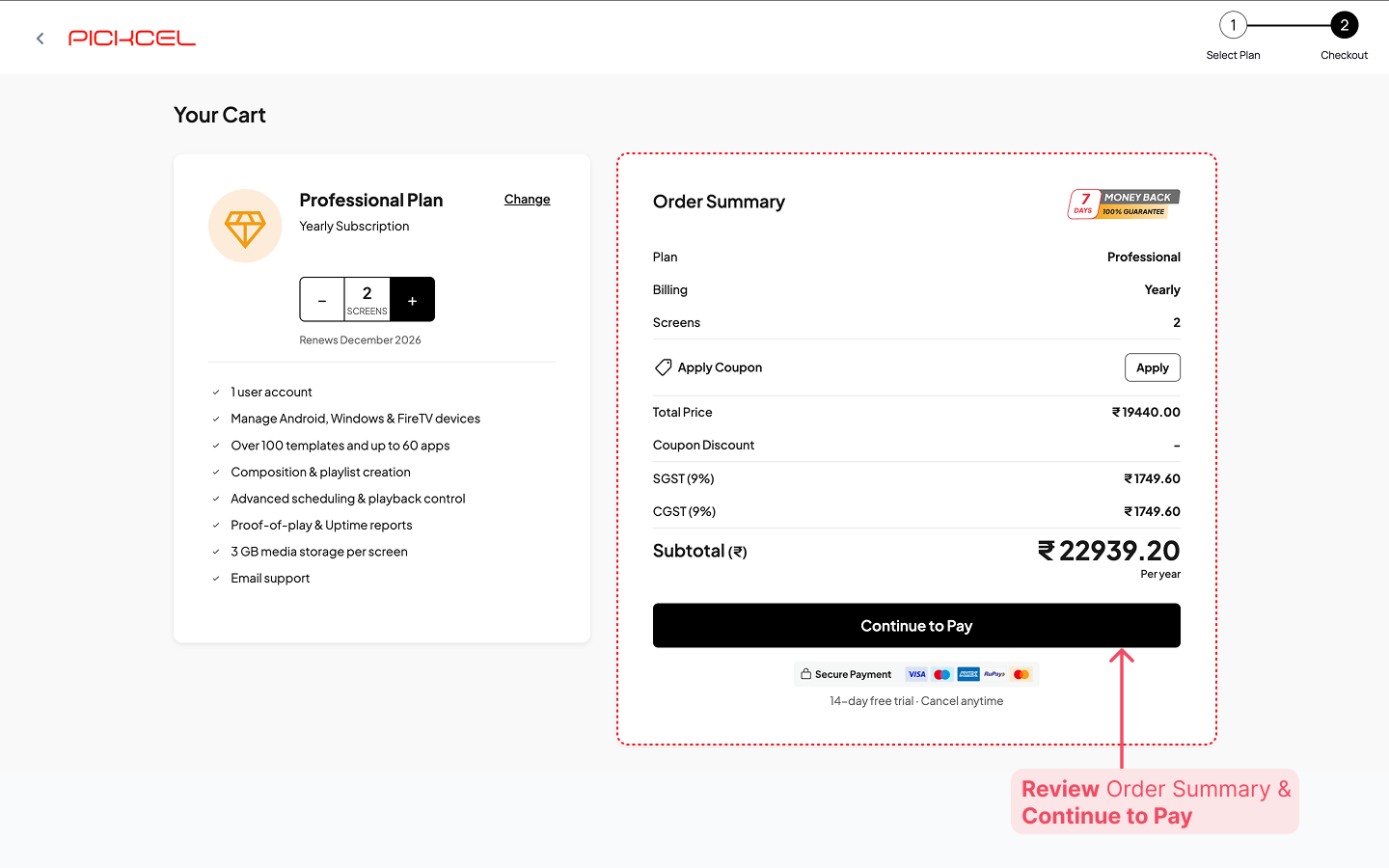 Carefully fill in the correct billing information and click Proceed to Payment to continue.
 Enter your credit or debit card details securely and click Subscribe to complete the transaction.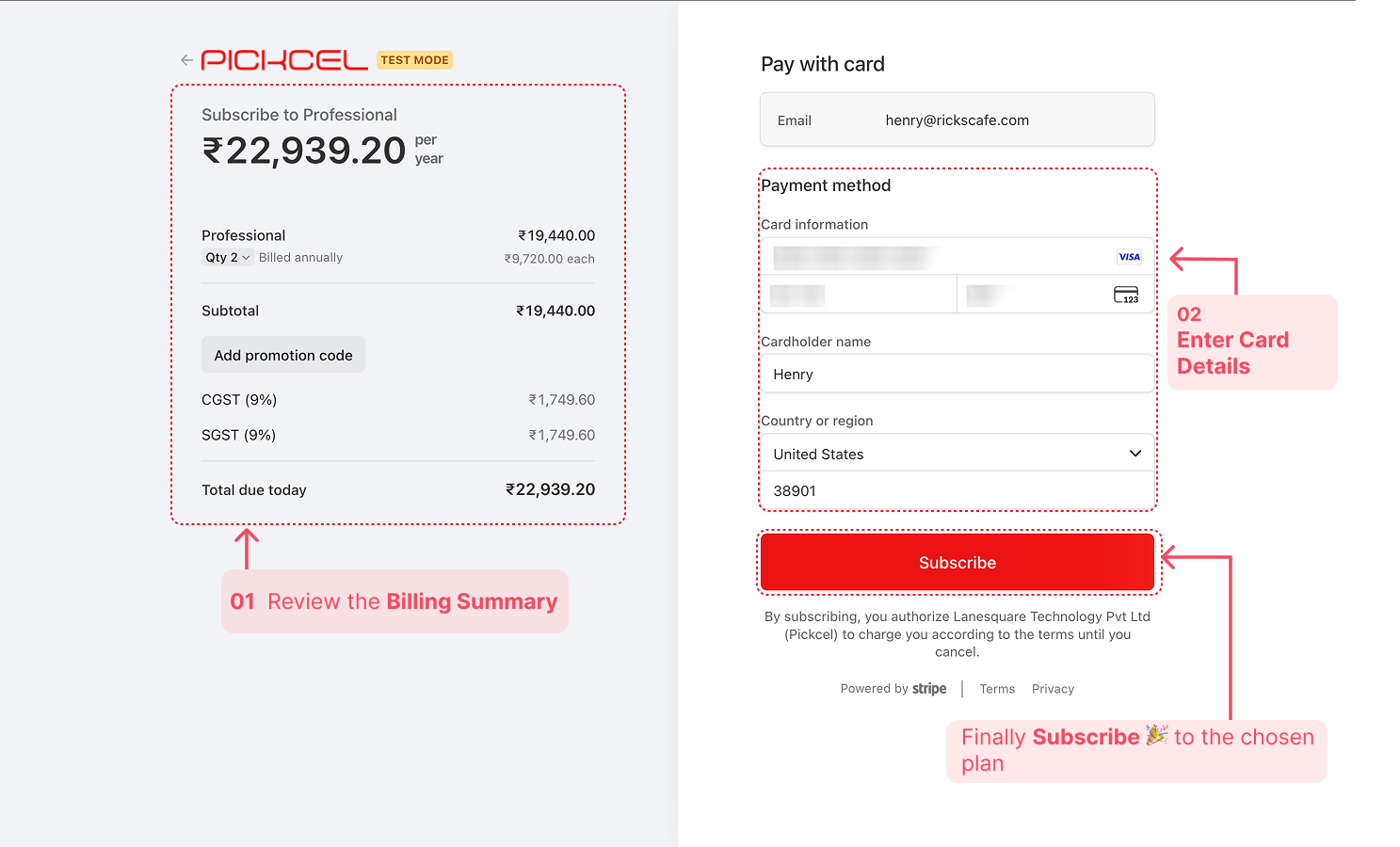
6
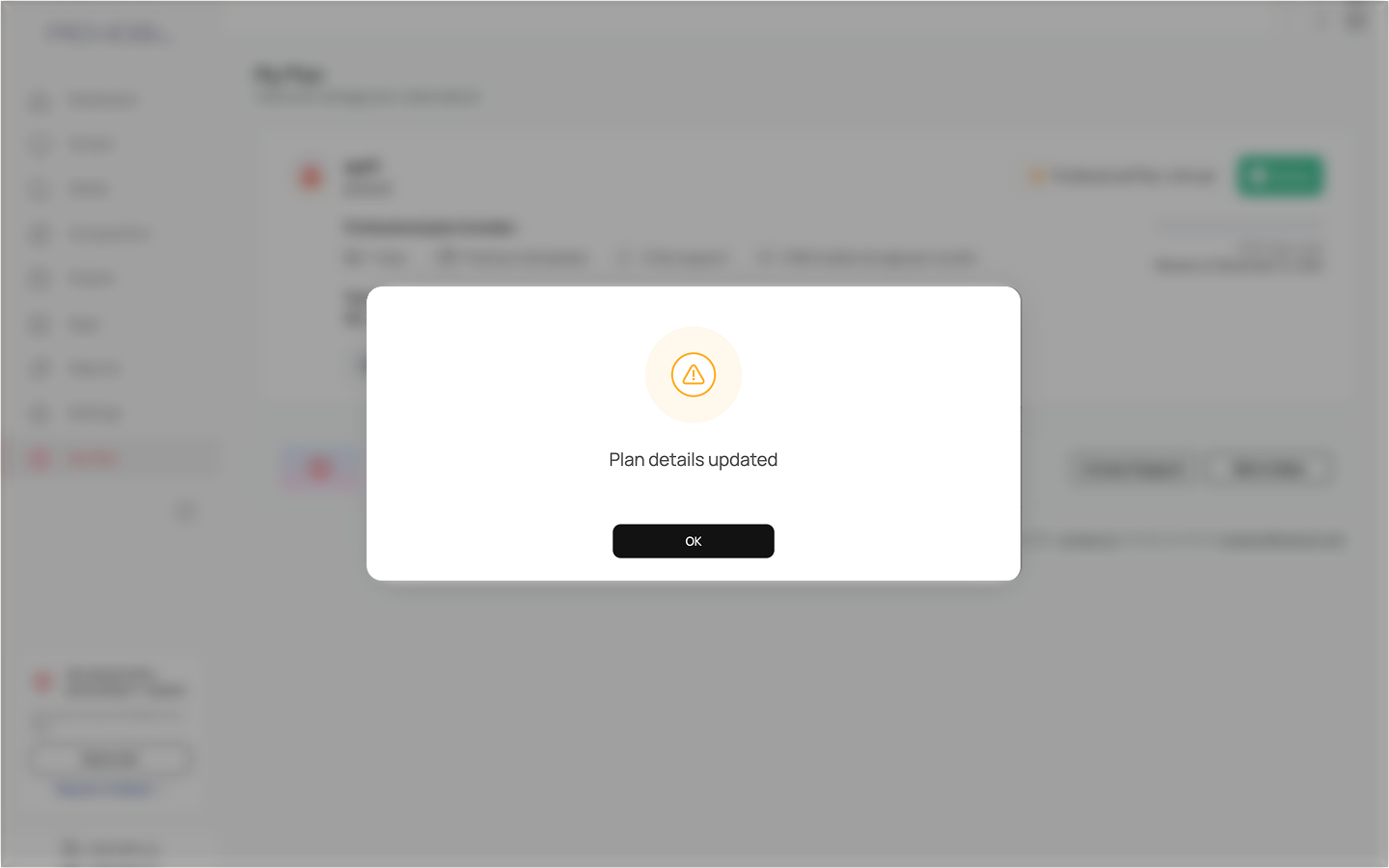
Congratulations! 🎉 Your subscription is now active.
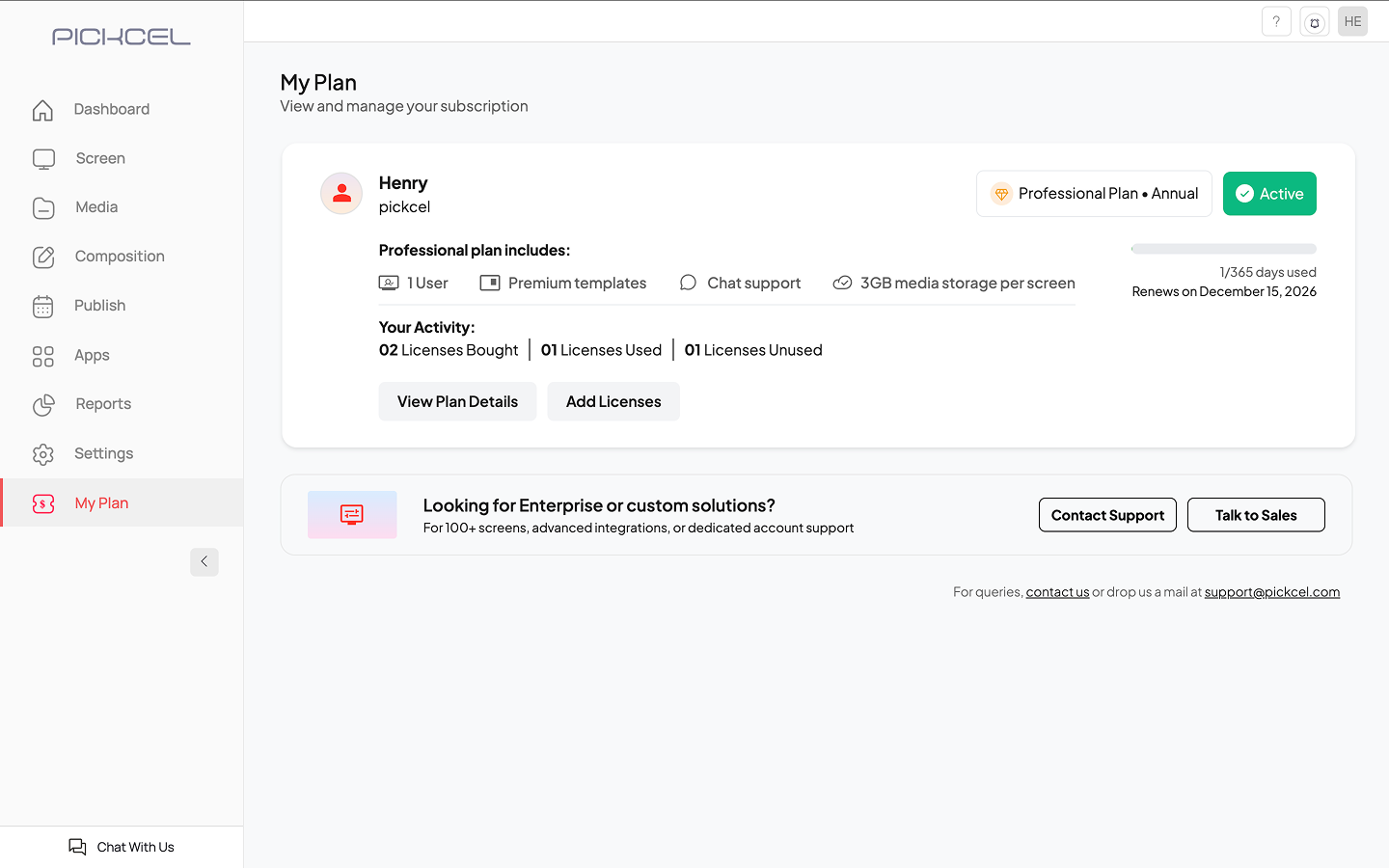
View your active subscription at a glance: Plan type, screen licenses (bought/used/unused), days used, and renewal date with an option to add more screen licenses if required.
You can now enjoy the seamless experience of managing your digital signage network with the full power of Pickcel.
Need help choosing the right plan?
Contact our support team at support@pickcel.com for personalized assistance