

1
Click Forgot Your Password?
Below the password field on the login page, click Forgot Your Password?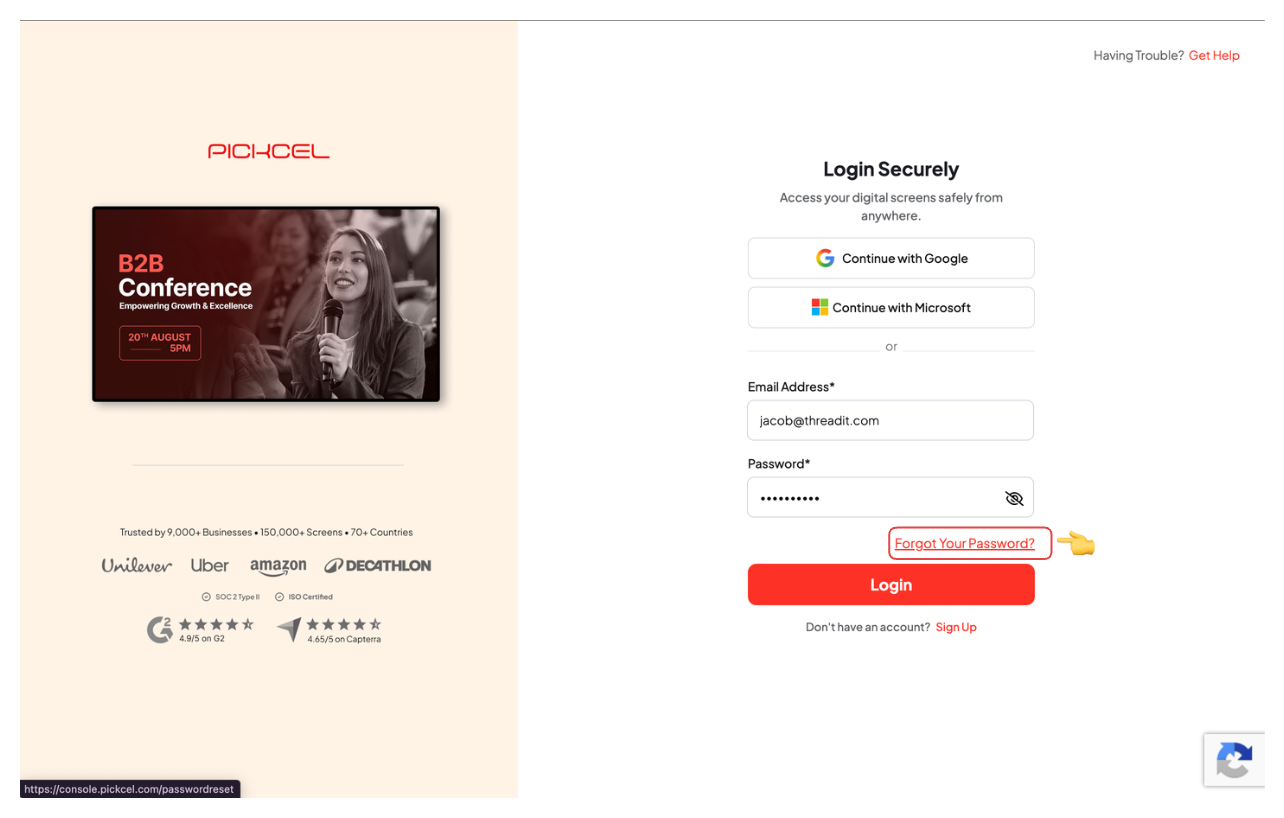
2
Request the reset code
Enter the email address registered to your account and click Send Request.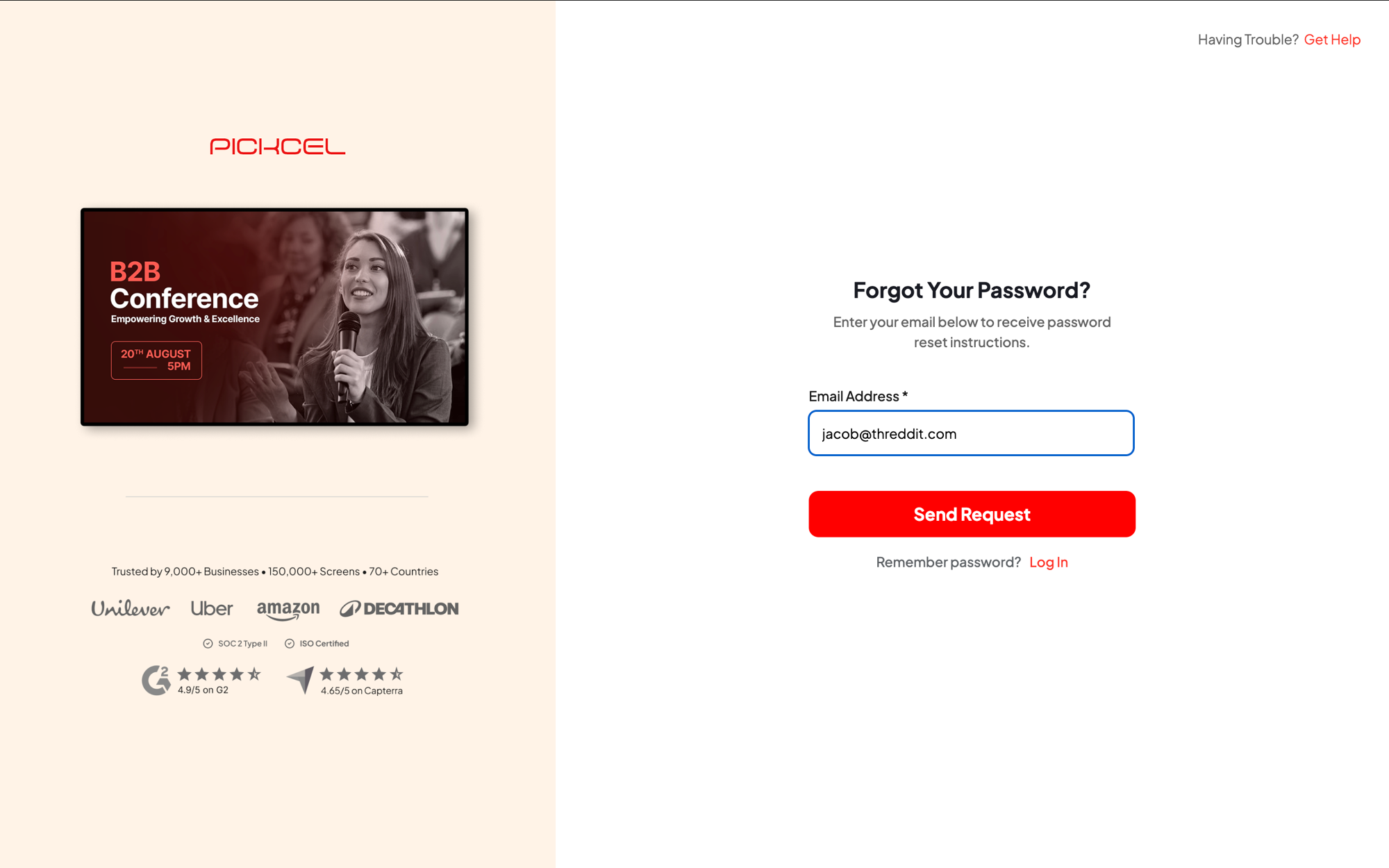
3
Get the code from your email
Open the password reset email from Pickcel and note the 6-digit code inside.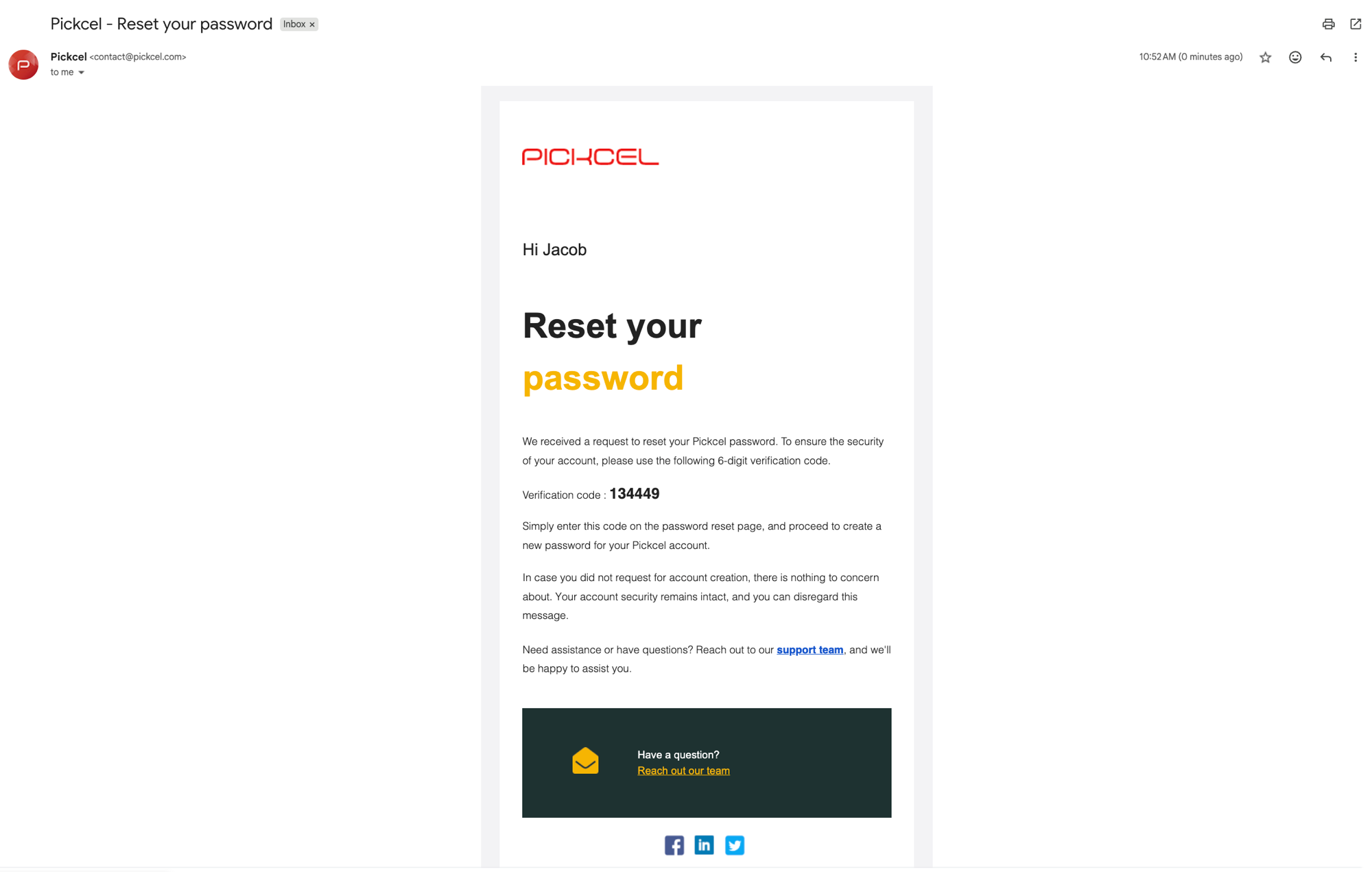
Not receiving the email? See Why am I not receiving the password reset email?
4
Set your new password
Enter the code, set and confirm your new password, then click Confirm.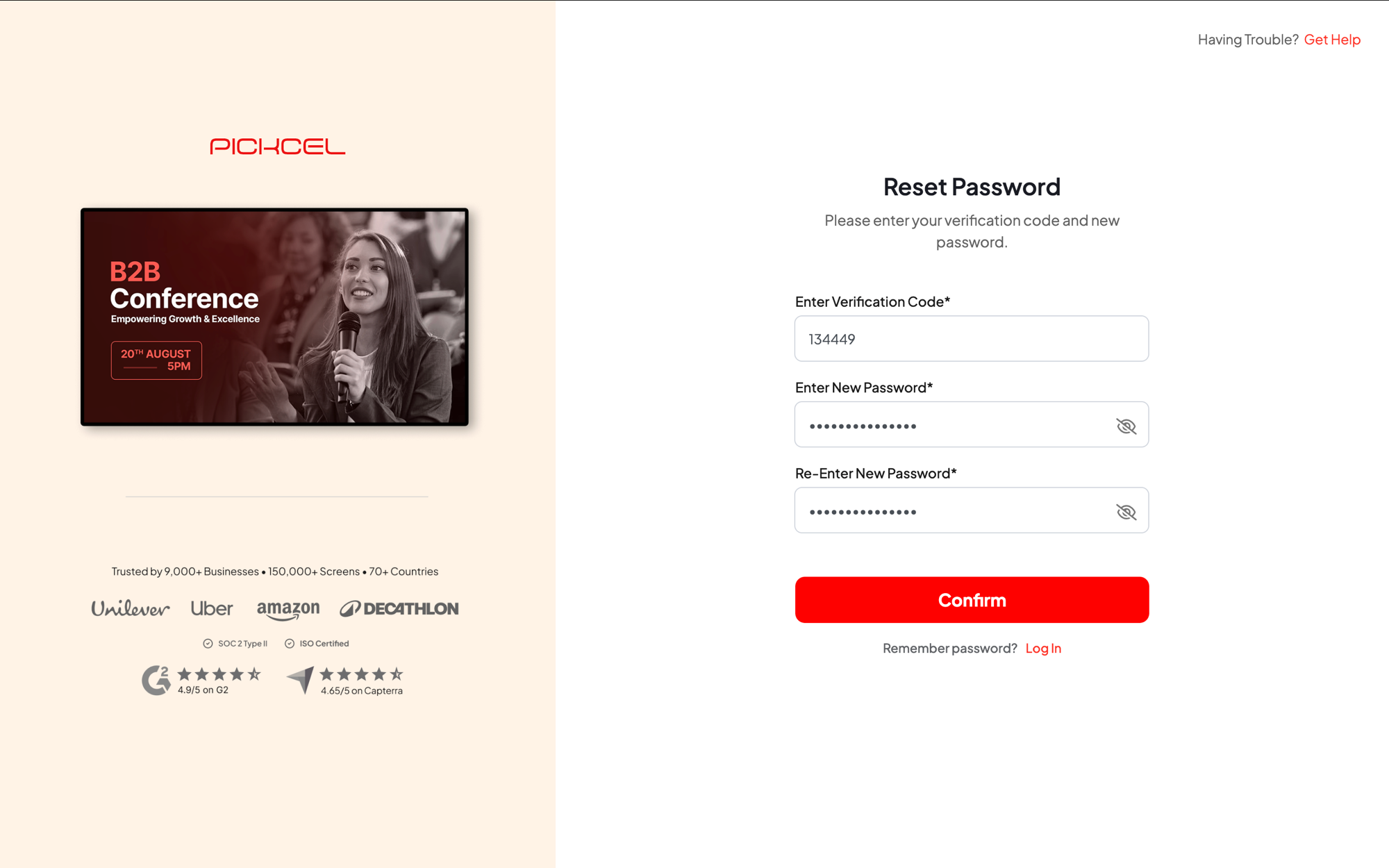
Related guides
Password Reset Email
Not receiving the reset code? Check your inbox, spam, and filters.
Back to FAQs
Browse all Pickcel FAQ articles.