

Does Pickcel work offline?
Yes. Once your content is downloaded to the device, Pickcel keeps playing it offline, so your screens stay live even without internet. Static media like images, videos, and PDFs play offline, and so do most apps using their last synced content. Apps that pull live data from the internet, such as web URLs, YouTube, and other apps that stream or fetch real-time content, need an active connection to load and stay up to date. You need internet for the initial setup and content assignment, and again whenever you want to receive updates such as new media or app data.Do I need an active internet connection to play content?
For image, video, and Scroller content, the player downloads everything locally and plays it on schedule; no constant connection required. An active connection on the player is needed for:- Initial screen registration
- Updating the schedule or content on a screen
- Broadcasting real-time emergency content via Quick Play
- Remote monitoring and capturing screenshots
- Any internet-based app: URL links, YouTube, news, social media, and so on
If a media player has no Real-Time Clock (RTC) and runs without internet, it won’t keep accurate local time. It then can’t play scheduled content and instead shows the default composition applied to the screen.
What is RTC (Real-Time Clock), and how does it affect my content schedule?
An RTC (Real-Time Clock) is a hardware feature in your media player that stores the local time and time-zone information. A device with an RTC keeps correct time during offline operation and doesn’t depend on the internet to know the local time or time zone. This matters for scheduling: if a device without an RTC boots and runs without internet, it has no reliable time information. In that case it can’t play scheduled content and falls back to playing only the default composition configured for the screen.Is Pickcel cloud-based, or can it run on a private network?
Pickcel is a cloud-based (SaaS) digital signage platform; your media and apps are stored securely on Pickcel’s servers, hosted on AWS. It can also be deployed on-premise within a private network such as a LAN or WAN. See the On-Premise Guide for self-hosted deployments.What are the minimum server requirements for a private-network deployment?
To support roughly 50 displays, you’ll need a small-to-mid-size server with a quad-core processor, 16 GB RAM, and storage to match your media needs (at least 1 TB, plus external NAS if needed). For larger deployments, contact the sales team for a tailored recommendation.How much cloud storage do I get, and can I increase it?
Standard storage depends on your account type:Need more? Contact Technical Support. Full plan details are on the pricing page.
Does Pickcel support local streaming with multicast?
Yes, provided your network hardware supports multicast. This lets one video stream serve many screens on the same local network at once, instead of each screen pulling its own copy over the internet, which reduces bandwidth use for large in-venue deployments. Contact support for details.How do I check whether a screen is online and connected to the internet?
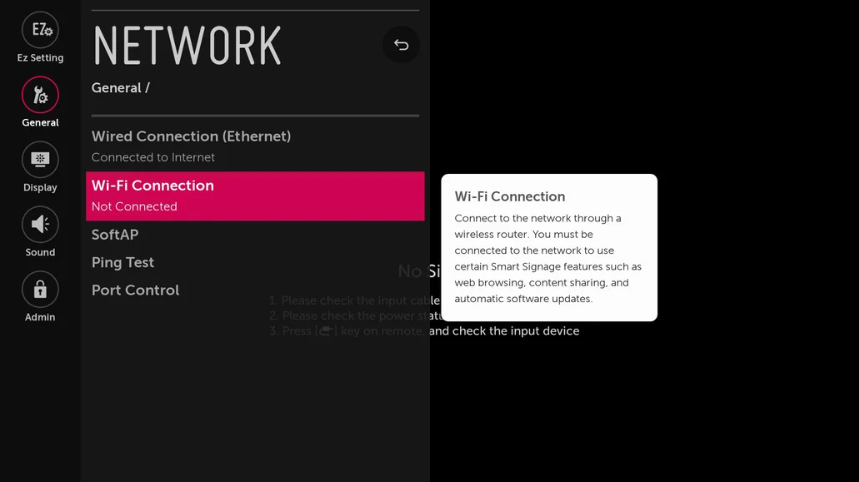
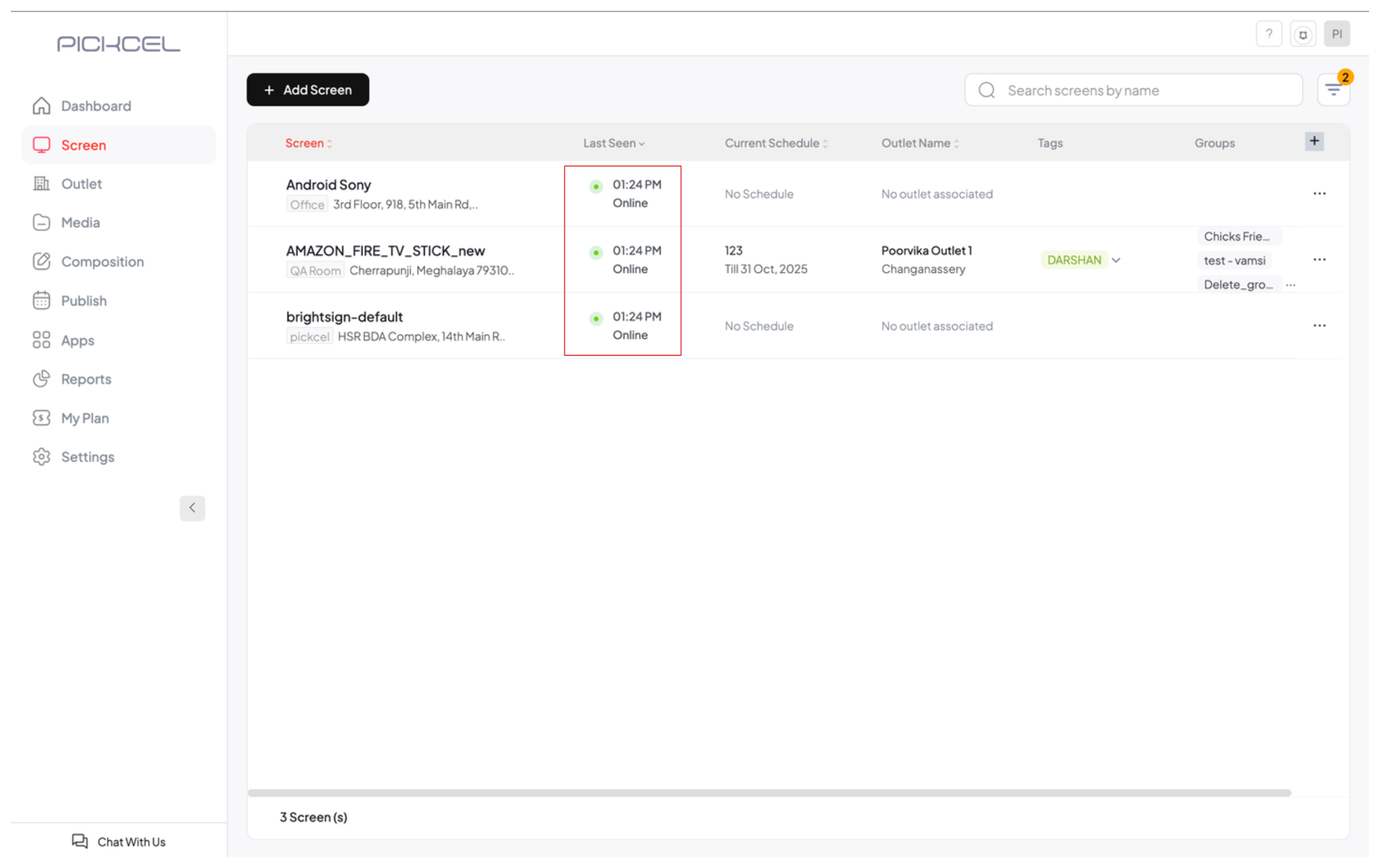
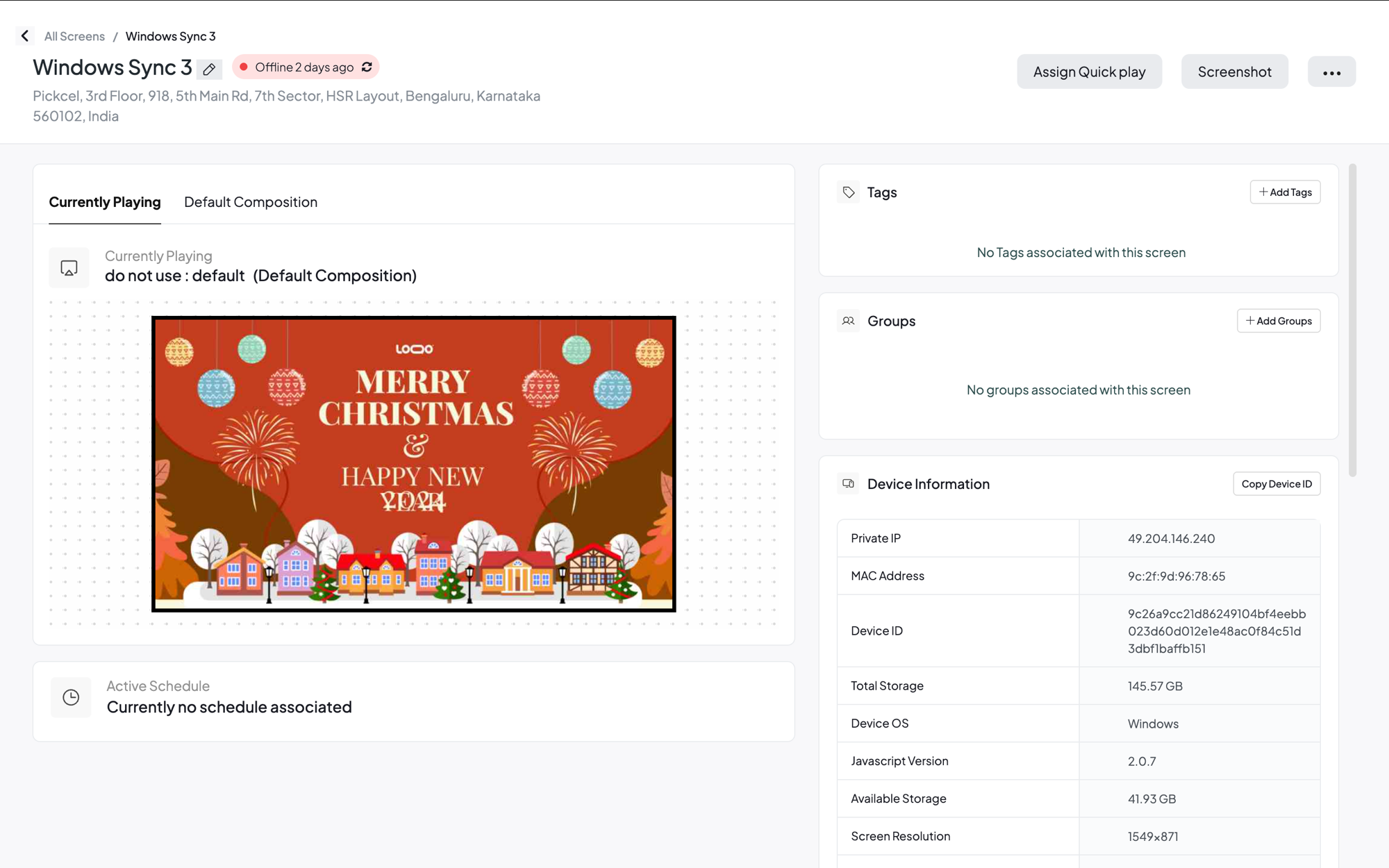
There are three ways to check whether a screen is connected to the internet. 1. On the Pickcel player. Look at the Health Indicators, the three small dots in the bottom-right corner of the screen. The first dot shows the internet connection: green means connected, red means offline.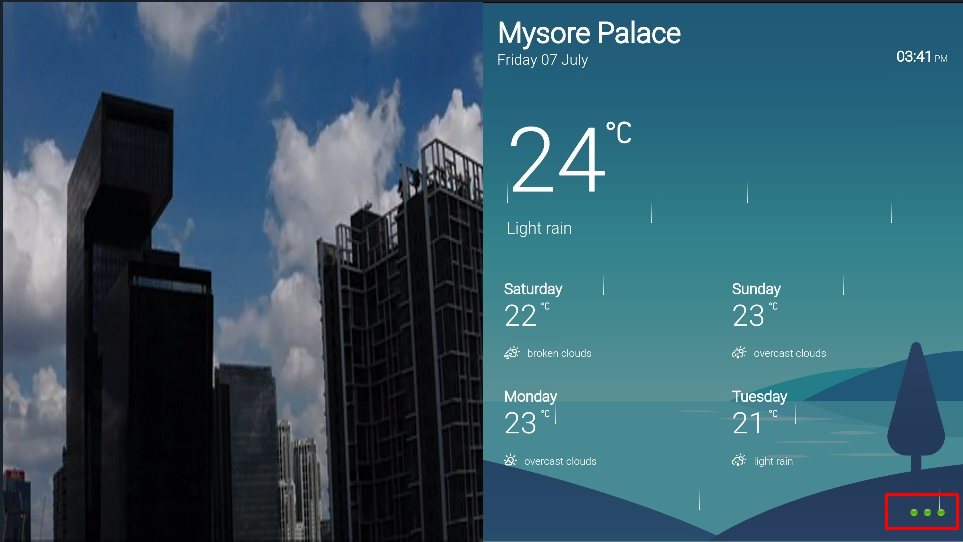
Related guides
Health Indicators
Understand the three status dots shown on your screen.
On-Premise Setup
Deploy Pickcel on your own private network.
Content Security
How Pickcel protects your content in the cloud.
Back to FAQs
Browse all Pickcel FAQ articles.