

- This feature is available only on our Business plan
- Before you enable the sync option, the content has to be pre-downloaded on your Device. In order to do that, you can run quickplay with the same content. Click here to know how to run a quickplay.
Enable Sync in Composition
1
Login and add media
Log in to your account and add the media you want to play in Sync.
2
Click on Composition module
In the Pickcel console, click the Composition module in the left navigation to open the composition list. Open the composition where you want to enable Sync, or click + Add Composition to create a new one.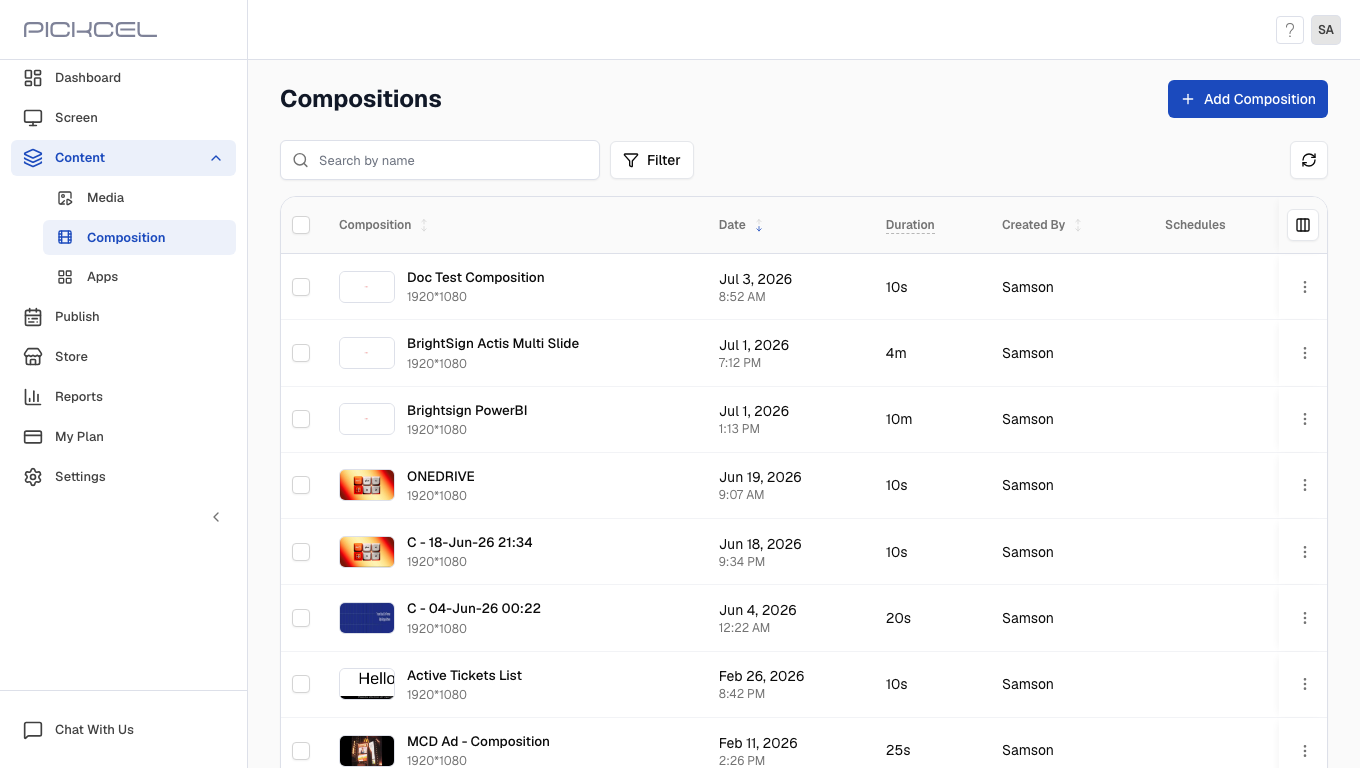
3
Add media and click three dots
Inside the composition editor, add media to your zones and then click the Zone options button (three dots in the top right of the canvas).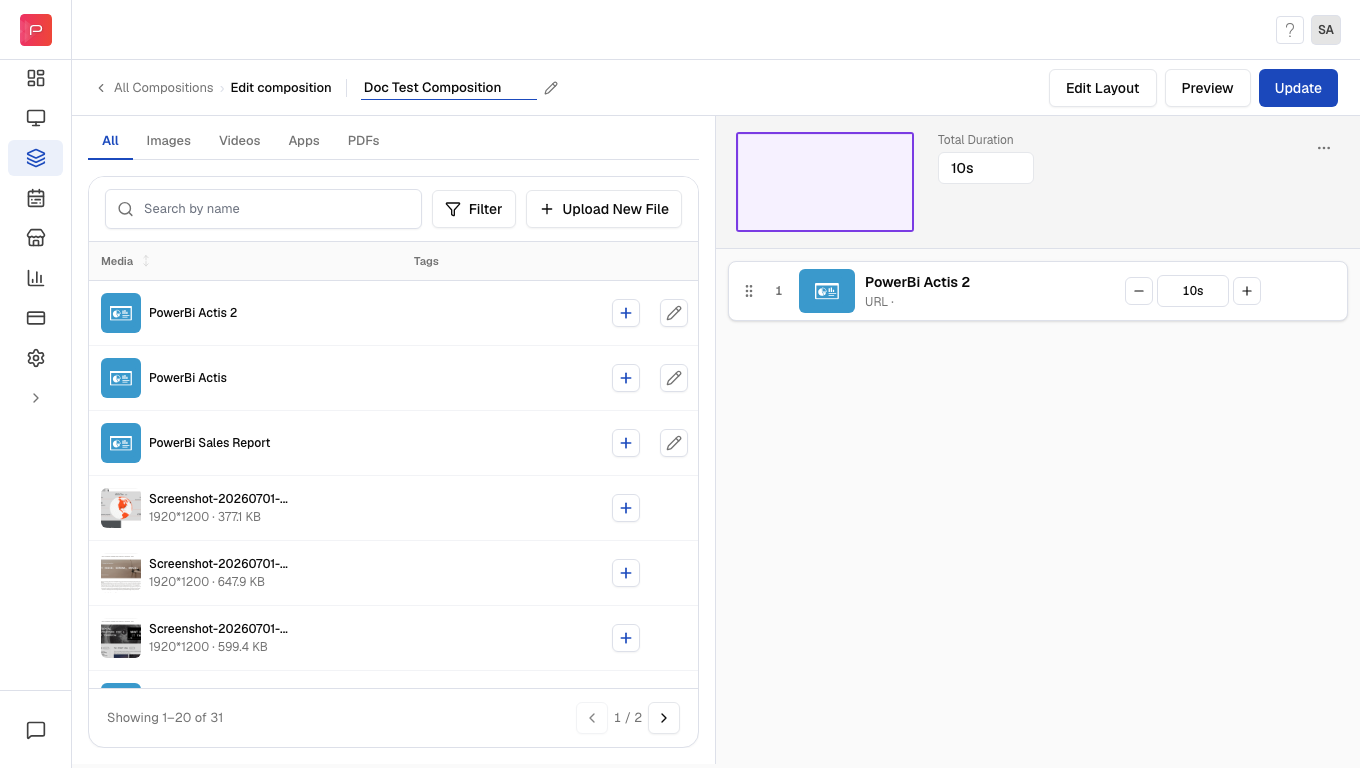
4
Select sync option and save
Enable the Sync toggle in the menu, then click Update (or Save composition if you are creating a new composition) to apply your changes.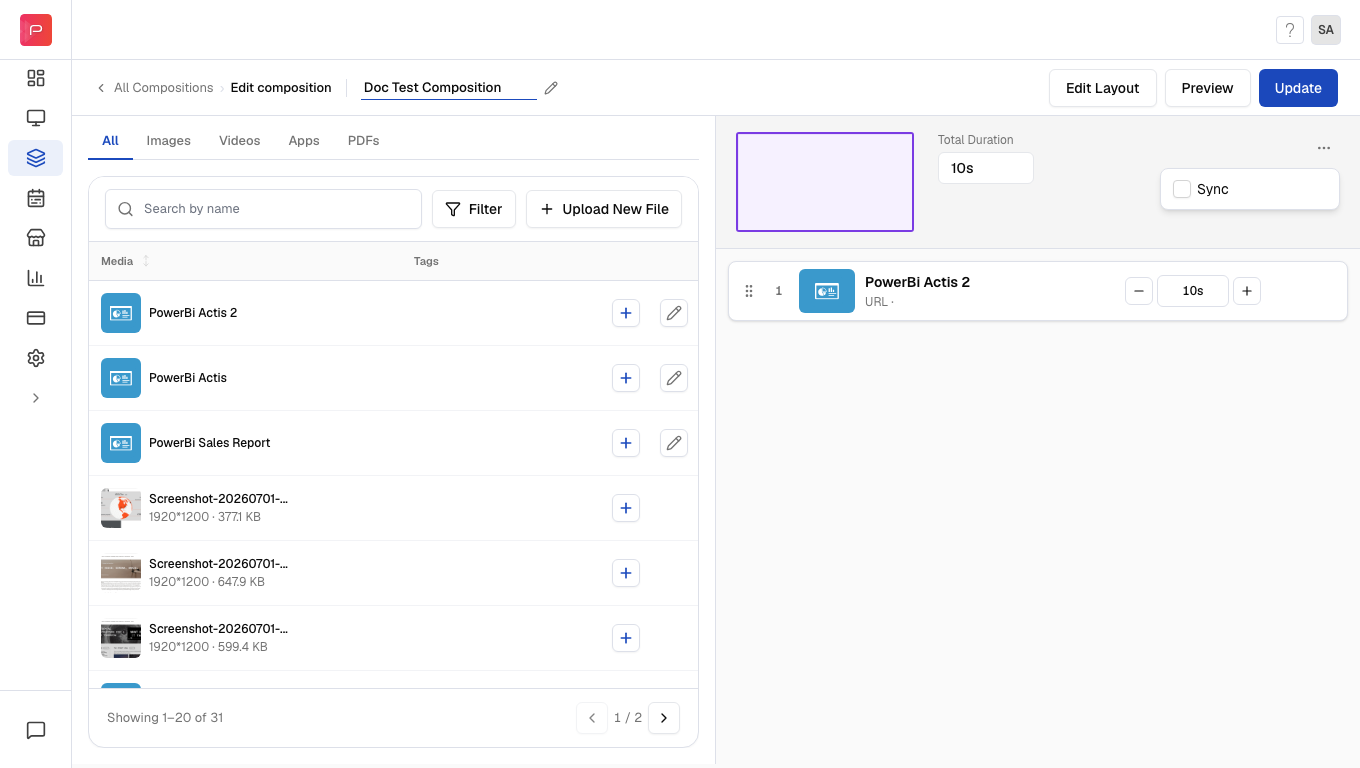
Configure NTP and GPS Clock App
In order for us to use the Sync feature, we have to add an application on the device called “NTP and GPS Clock”. Here’s how to configure this app:It is preferred to use a rooted device in order to use this app.
1
Install the app from Playstore
Install the app from Playstore.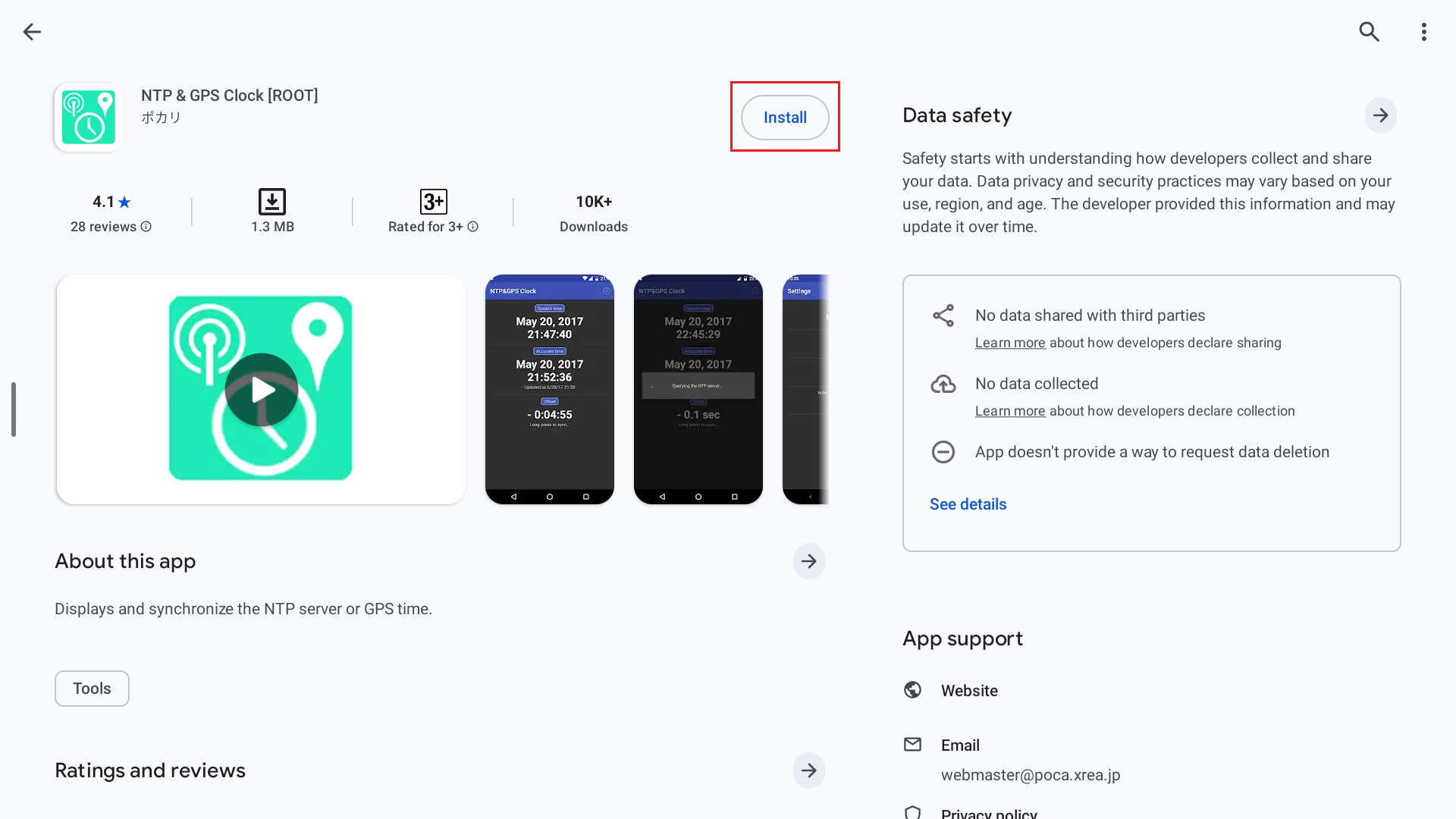
2
Open app and go to Settings
Open the app, and go to the Settings of the app (The app should be in default settings):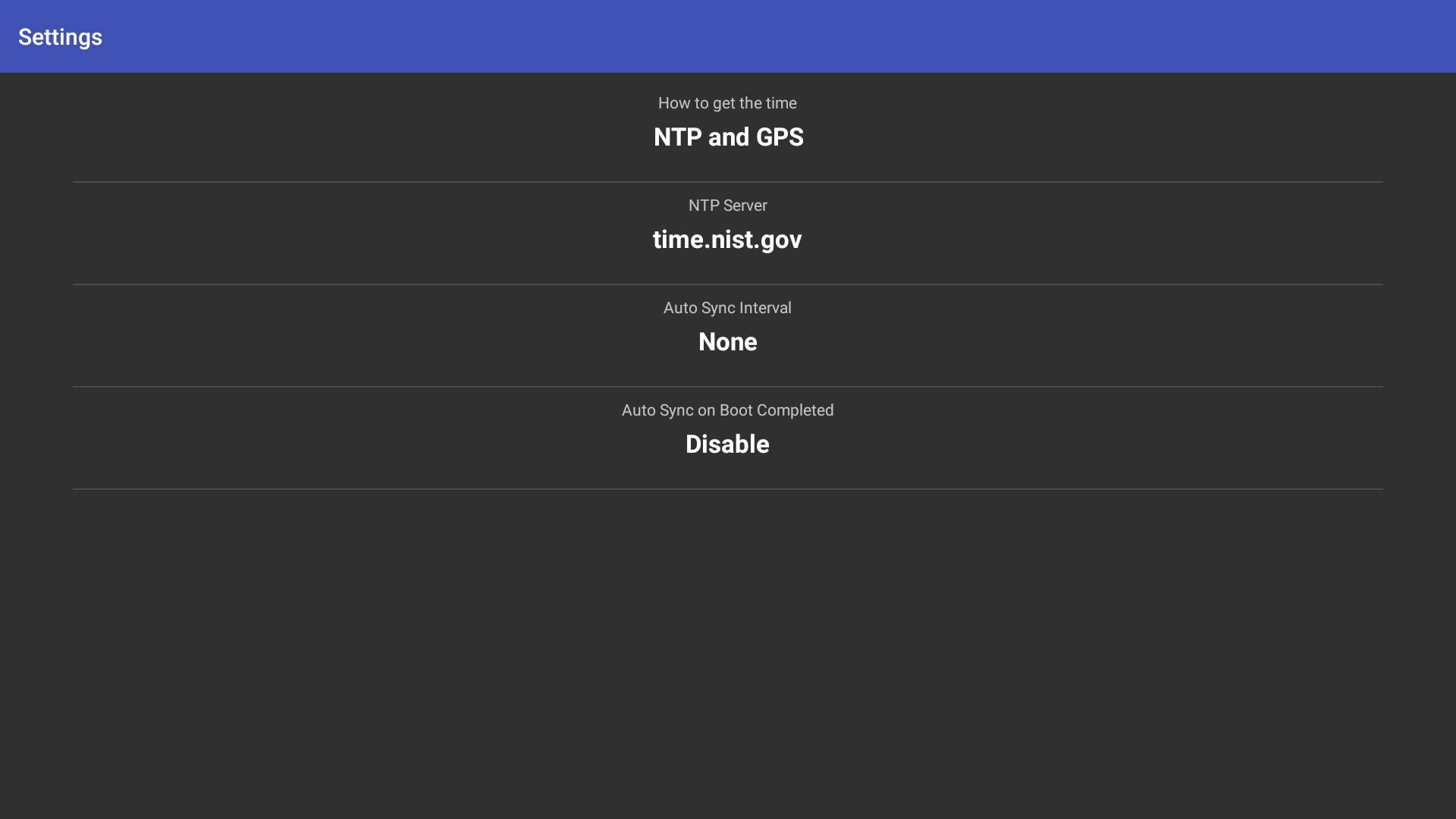
3
Configure Auto sync settings
Change the Auto sync interval to Every hour and Auto Sync on Boot completed to Enable.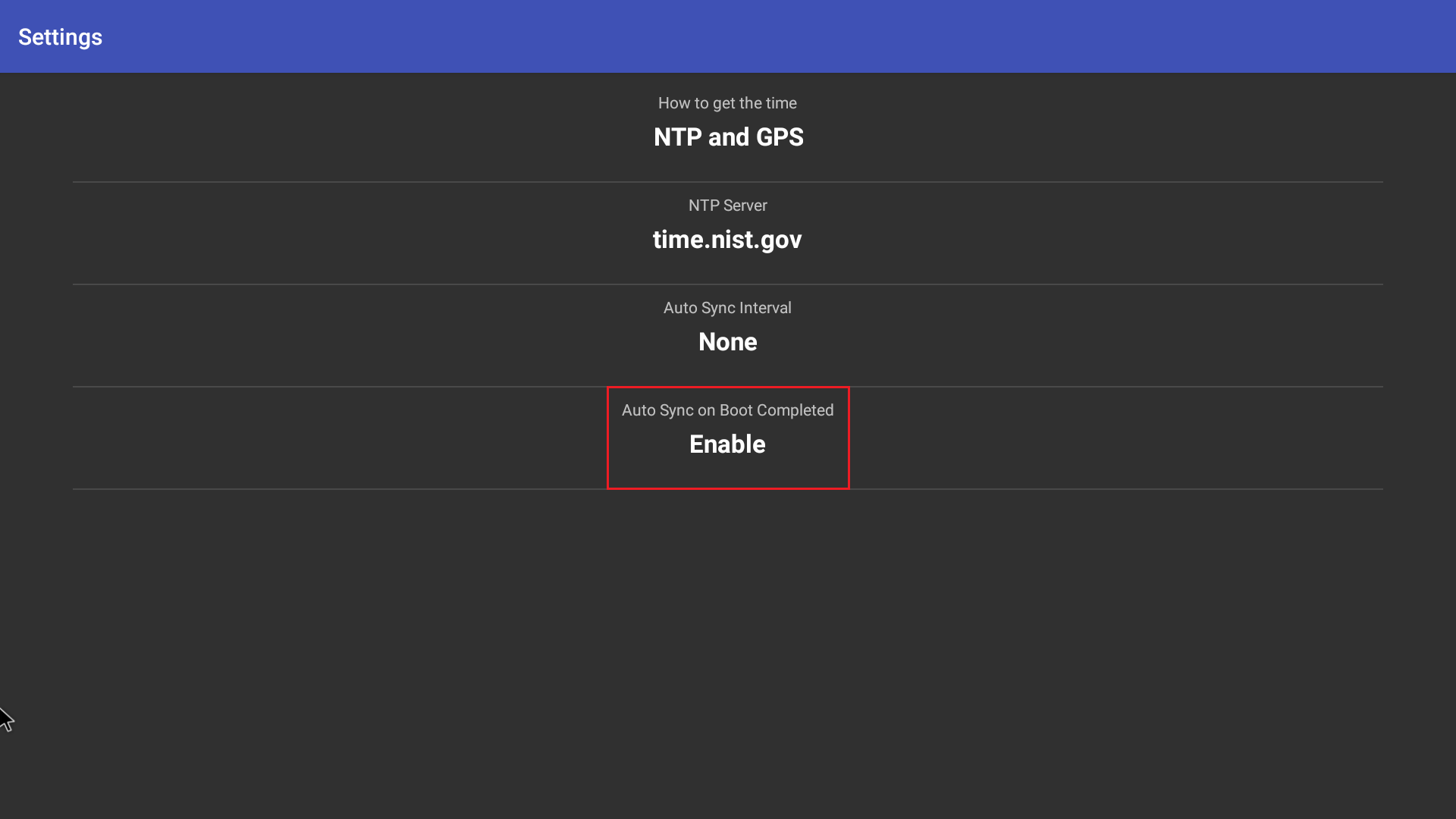
4
Go to main page
Go to the main page (This should also be in the default settings)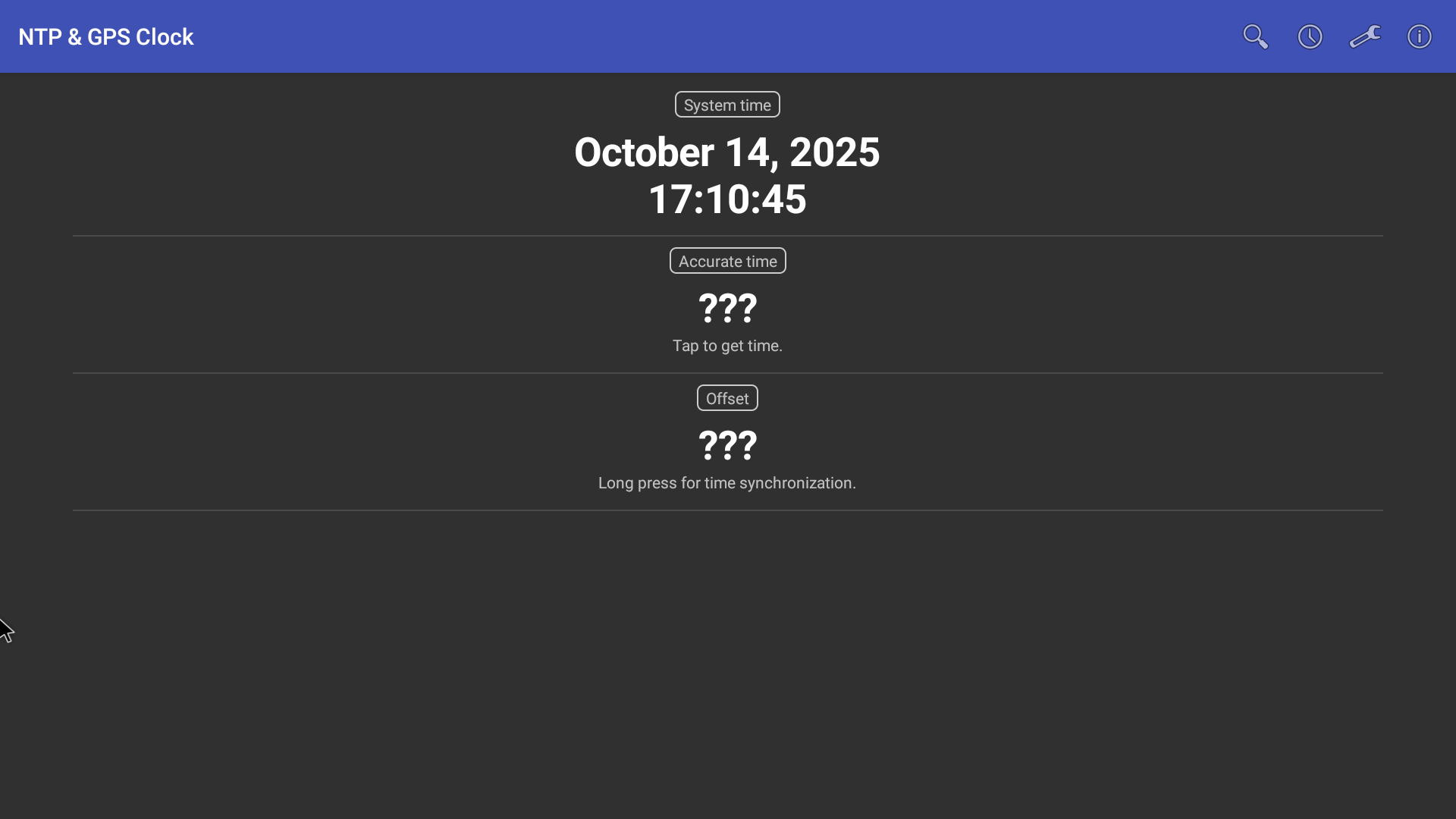
5
Click on accurate time
Click on the accurate time: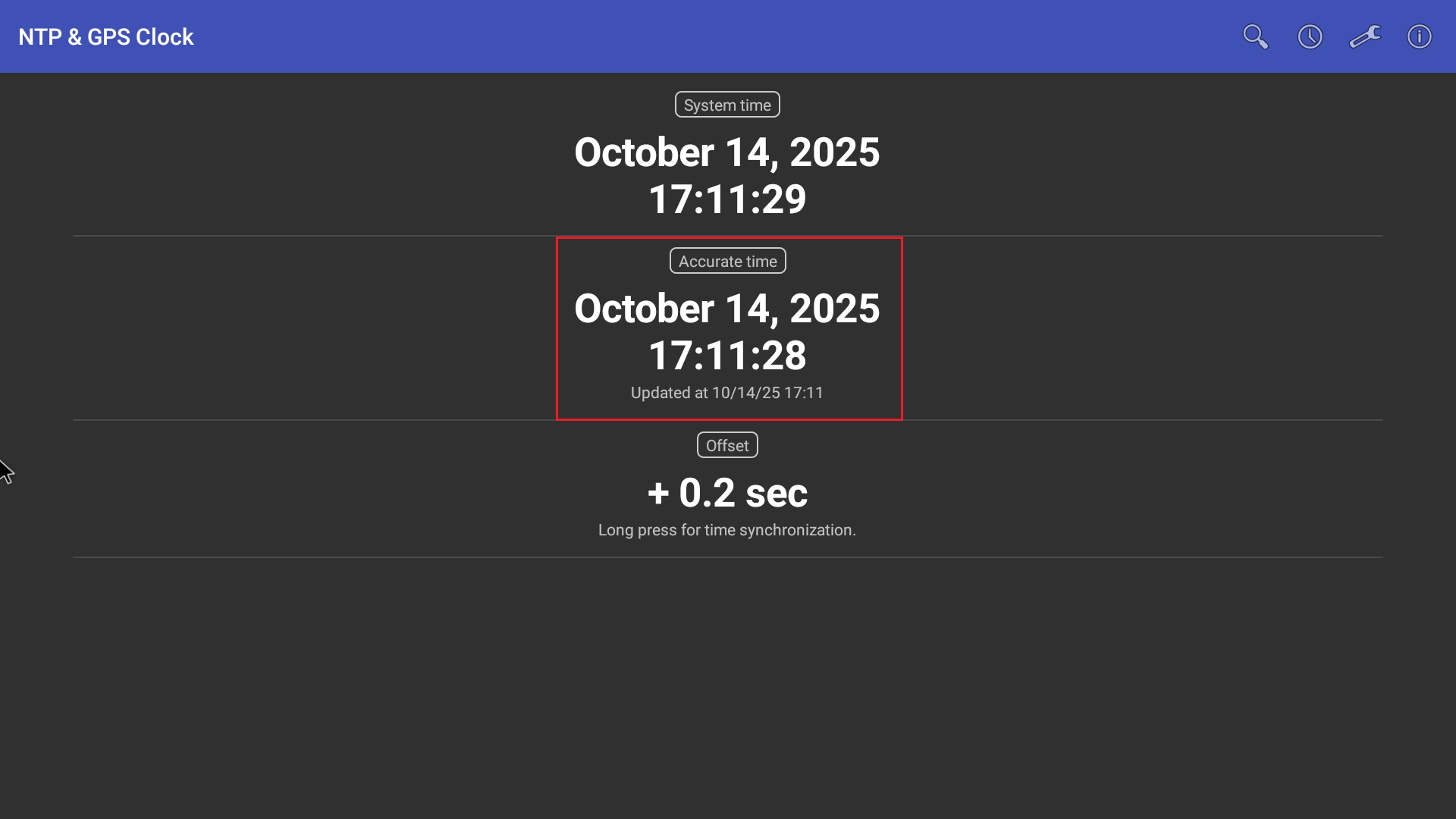
6
Long press to synchronise
Long press on the offset to synchronise, and the screen’s clock will sync to the accurate time.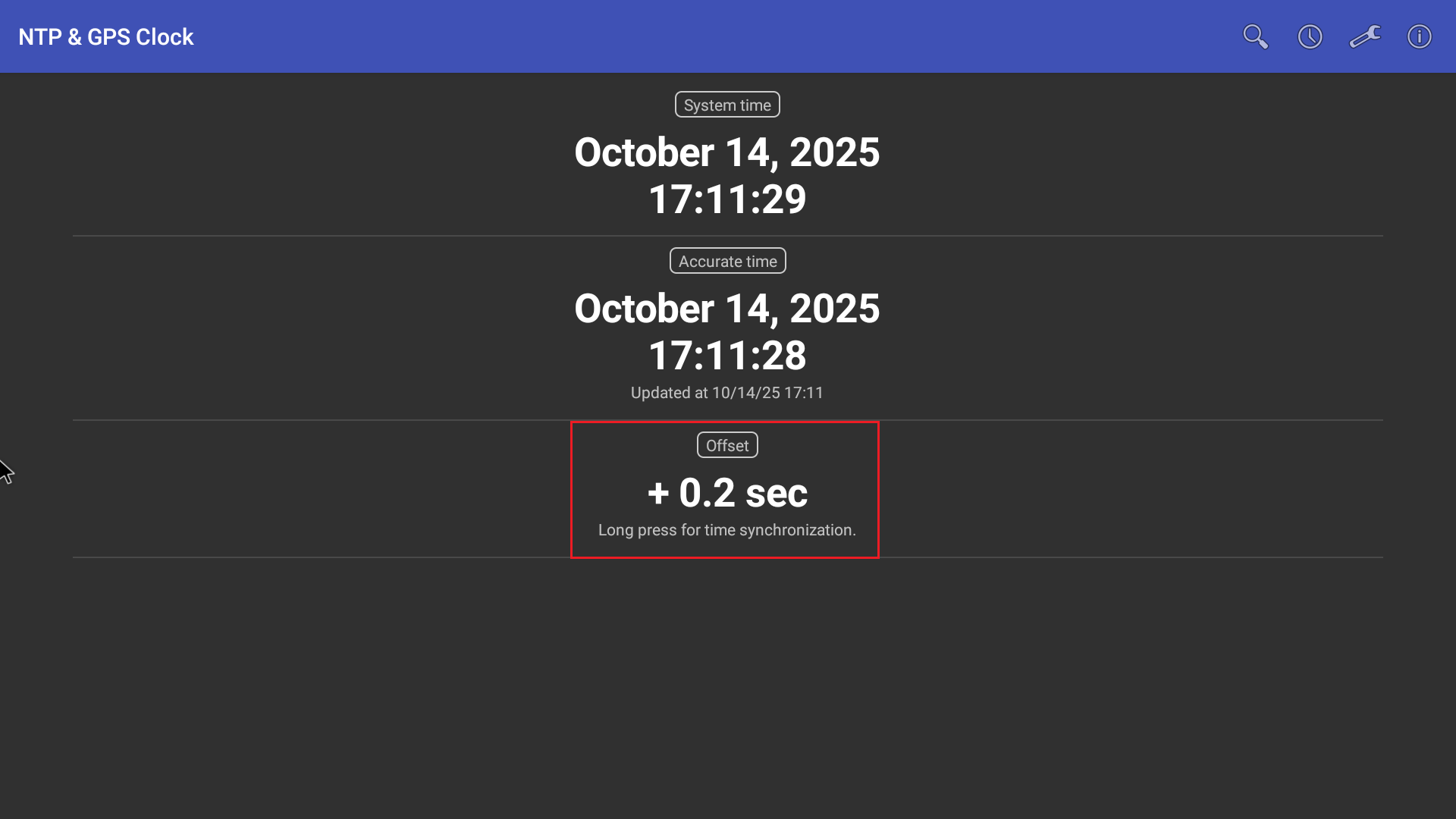
Limitations
- Sync feature is only supported for Android devices.
- All devices must have the same configuration.
- All devices must be in the same network.
- NTP and GPS clock app will work only for Rooted devices.