

What is Multi-slide?
The Multi-slide option in Pickcel lets you add more than one slide inside the same composition. Each slide can have its own layout and zones, allowing you to show different types of content in one composition without creating separate layouts.Why use Multi-slide?
Use Multi-slide when you want to:- Show different layouts in one composition
- Add different content on each slide
- Manage everything from one place
How to add multiple slides
Go to Composition → + Add Composition → Create Custom Layout to open the layout designer.1
Set up your first slide
Choose the Layout type (orientation) and add zones for your first slide using the + Add zone button on the right panel. The first slide is created automatically and shown as the Slide 1 badge.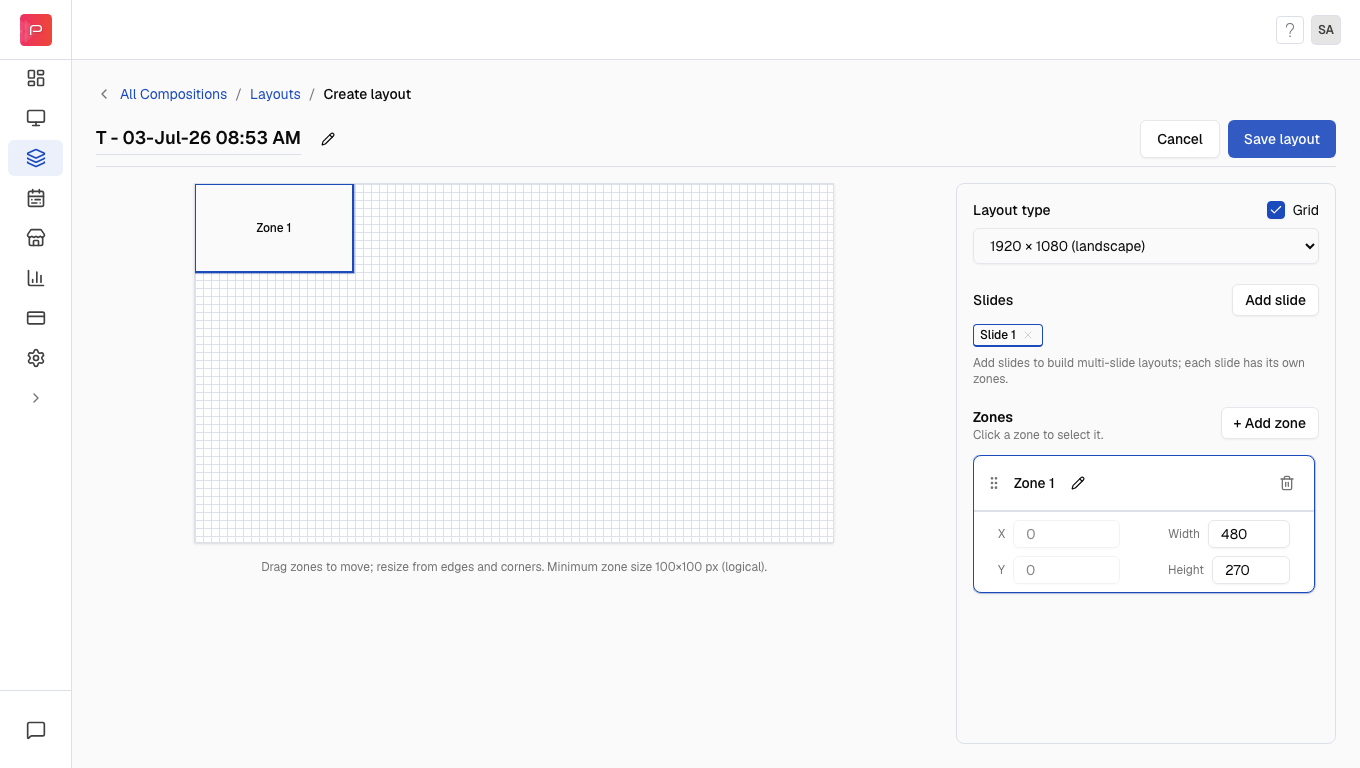
2
Add a new slide
Click Add slide in the right panel. A confirmation pop-up appears; click Add slide to confirm.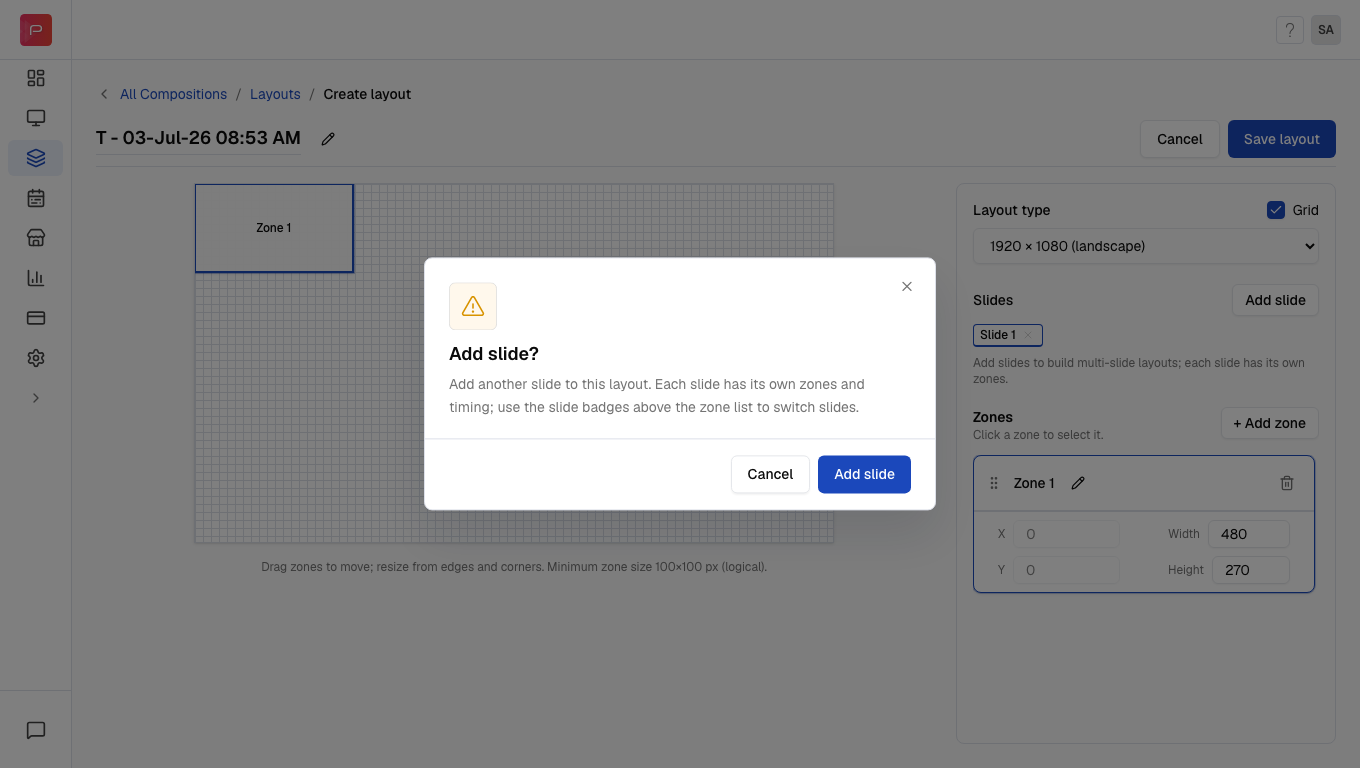
3
Configure each slide
After confirming, a second slide is added and the Slide 1 and Slide 2 badges appear side by side. Click a slide badge to switch between slides, then add zones for each slide using + Add zone.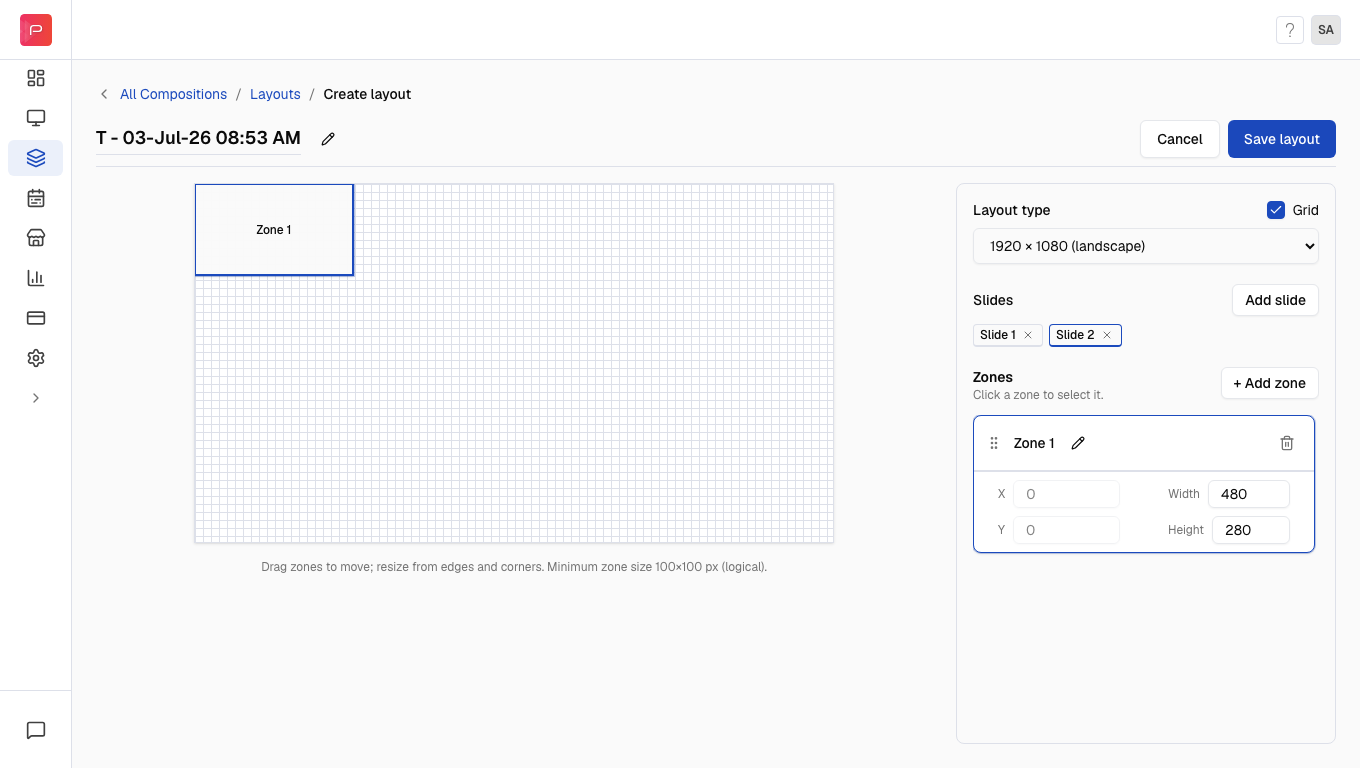
4
Save the layout
Click Save layout in the top right. In the Save layout dialog, enter a name for your custom layout and click Save layout to confirm.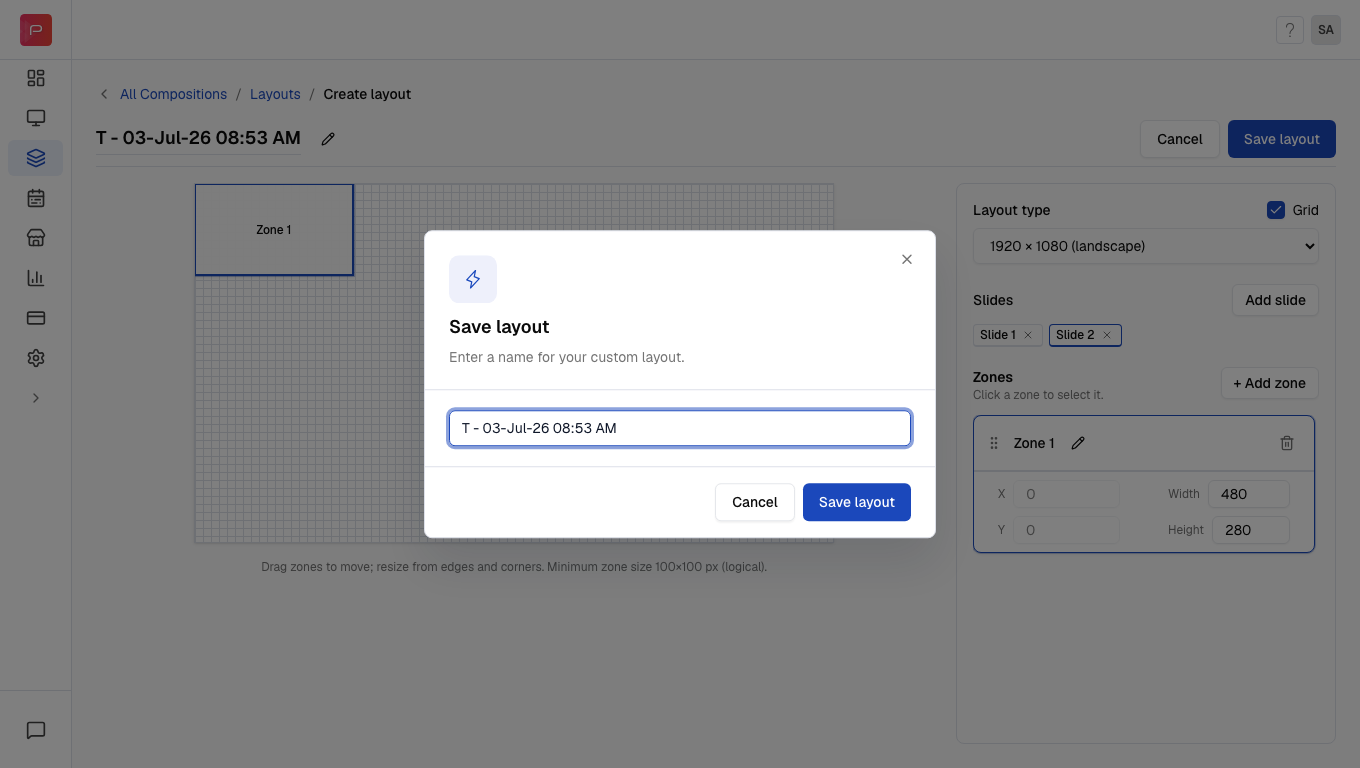
Layout editor controls
Important points to remember:
- Each slide can have its own zones with different arrangements
- You must add content to the zones in each slide before using the composition
- A single slide can have a maximum of 8 zones
Example
Let’s say you want one screen to show two different layouts:- Slide 1: One large video zone for promotions
- Slide 2: One image zone and one text zone for announcements
Common issues
I clicked Add slide, but nothing happened
I clicked Add slide, but nothing happened
A confirmation pop-up appears first when you click Add slide. Click Add slide again in the pop-up to create the new slide.
I cannot add more zones
I cannot add more zones
A single slide can have a maximum of 8 zones. If you need more zones, consider adding another slide to your composition.
I saved the layout, but content is not showing
I saved the layout, but content is not showing
After saving the layout, you still need to add content to the zones in each slide. Go to your composition and assign media to each zone on every slide.
Related articles
Layouts
Learn how to create custom layouts with multiple zones
Compositions
Understand what compositions are and how to create them
Zones
Learn about zones and how to configure them
Edit Composition
Learn how to edit existing compositions