

What is a Layout?
A layout is the arrangement and positioning of zones within a composition on a screen. It decides which content goes where. Pickcel ships with standard layouts (single zone, two zones, and so on), and you can also build your own custom layout when none of the standard ones fit your screen.How to create a custom layout
1
Open the layout designer
In Pickcel console, go to Composition and click Add Composition to reach the Choose Layout picker, then click + Create Custom Layout in the top-right corner.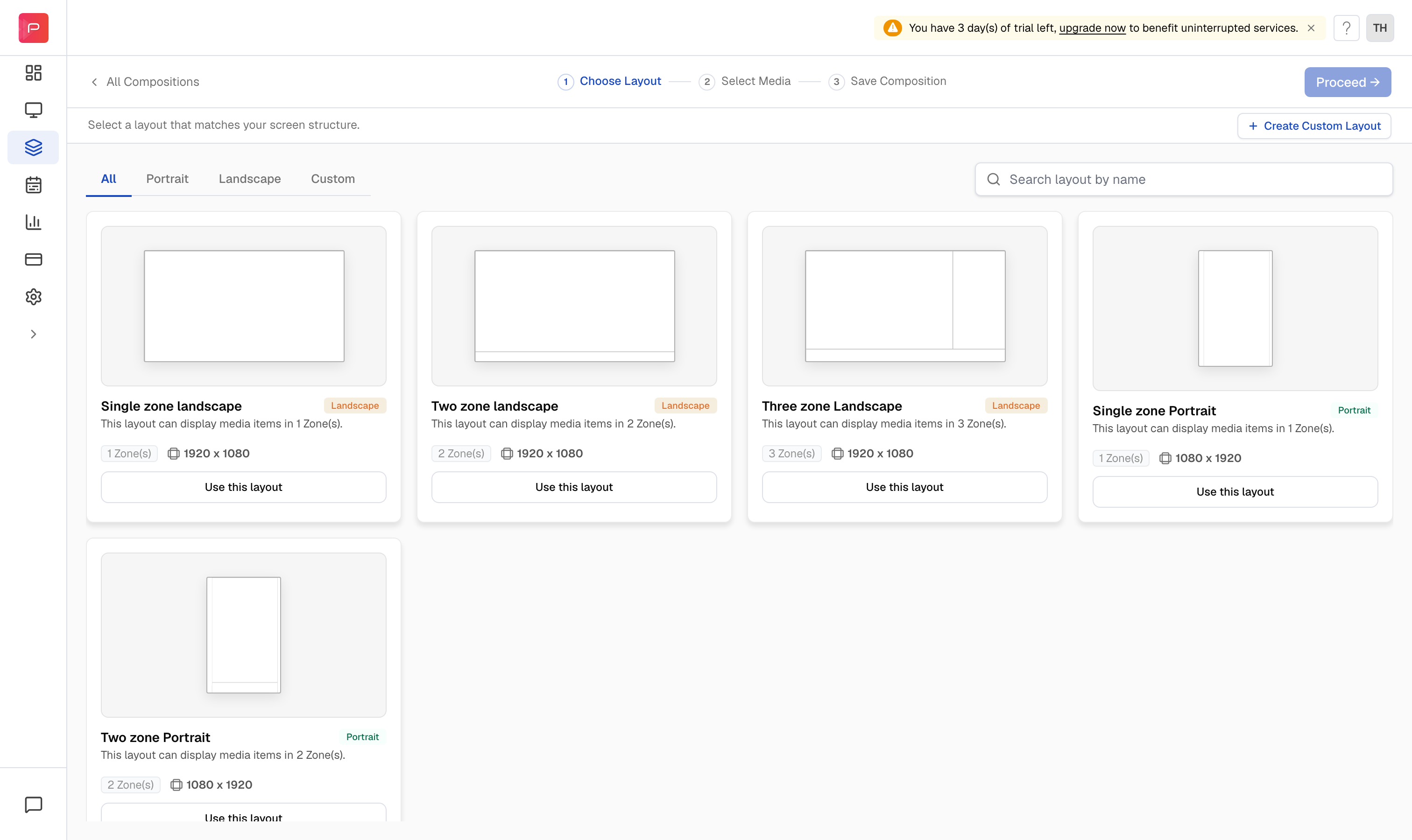
2
Set the layout type
In the right panel, open Layout type and choose the size and orientation: 1920 × 1080 (landscape), 1080 × 1920 (portrait), or a Custom size. Use the Grid checkbox to turn the alignment grid on or off.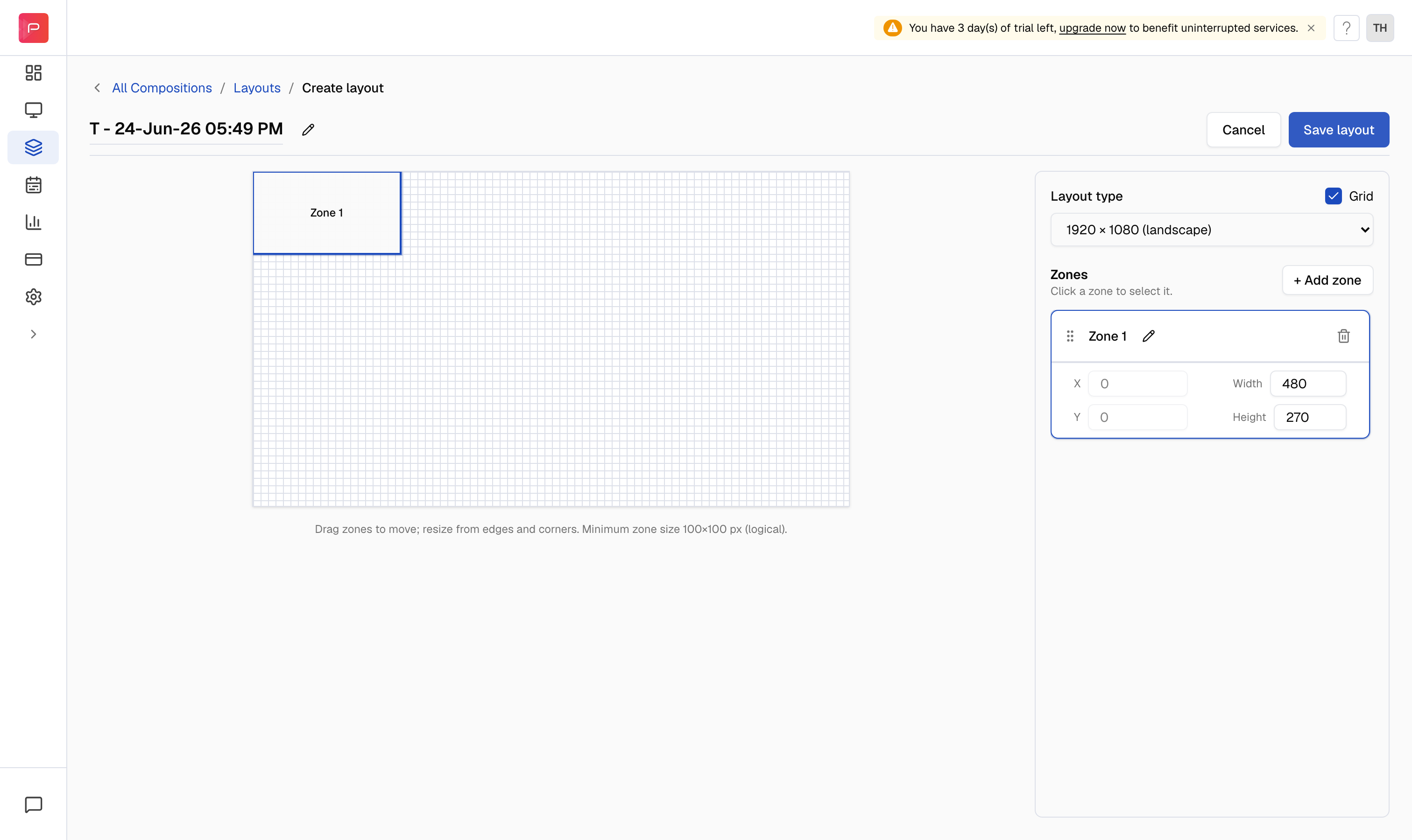
3
Add and arrange zones
A first zone is added for you. Click + Add zone to create more. Select a zone to move and resize it: drag it on the canvas, pull its edges or corners, or type exact X, Y, Width, and Height values. Rename a zone with its pencil icon, and remove one with the trash icon.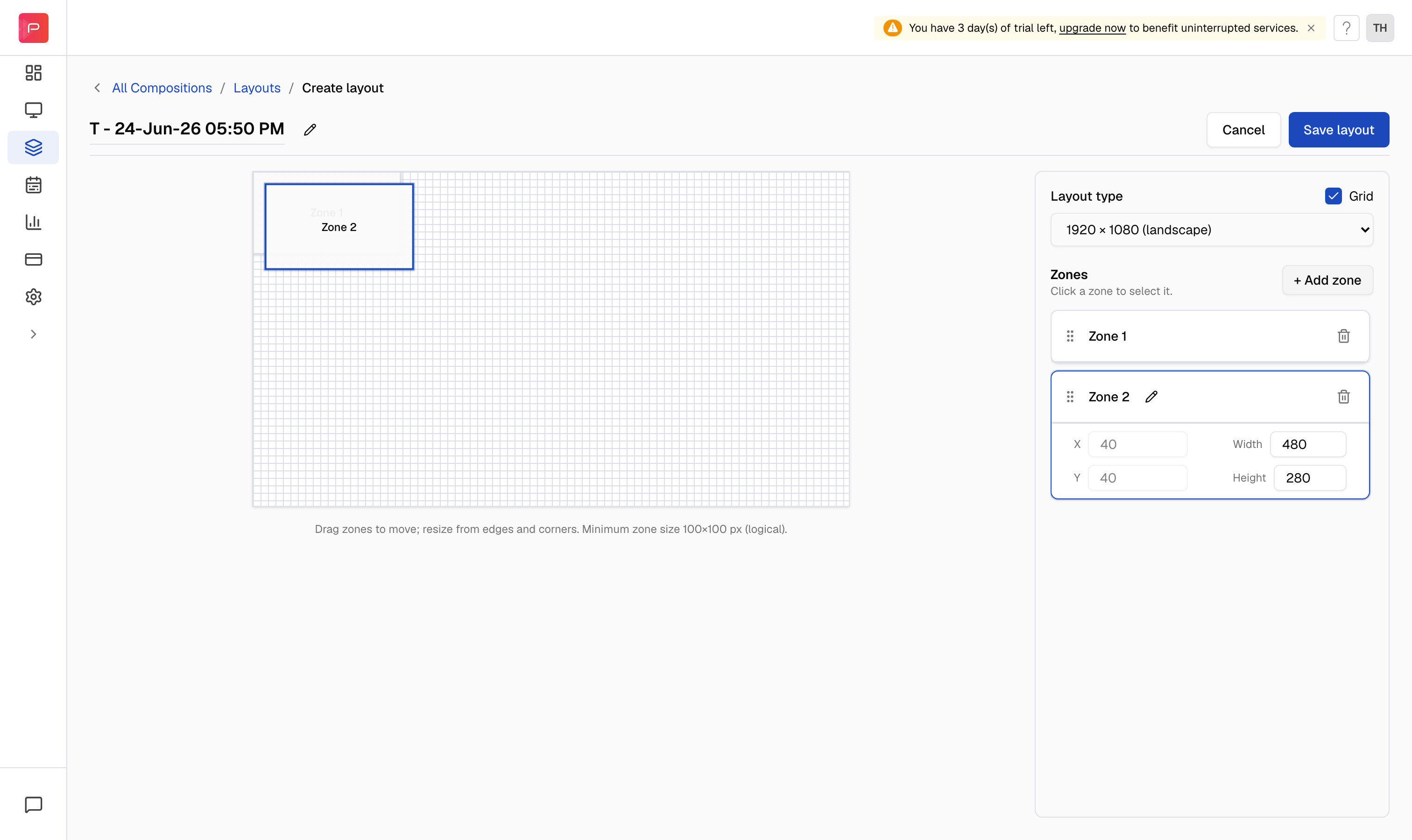
The minimum size for a zone is 100 × 100 px. Zones can overlap if you want one layer to sit on top of another.
4
Name and save the layout
Click Save layout. In the Save layout dialog, enter a name for your custom layout, then click Save layout again to confirm.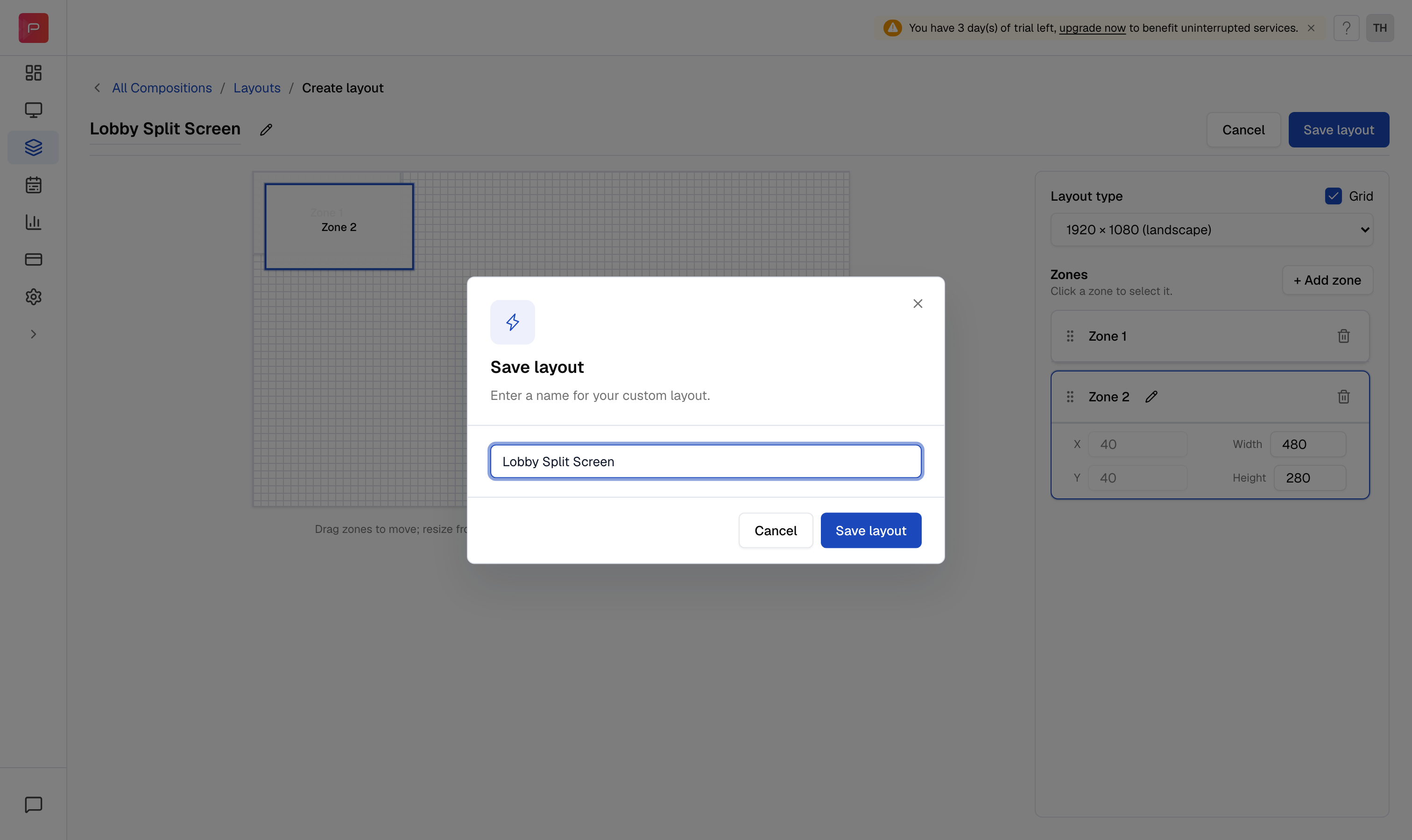
5
Use your custom layout
Your layout now appears on the Custom tab of the layout picker, with its zone count and resolution. Click Use this layout to build a composition on it.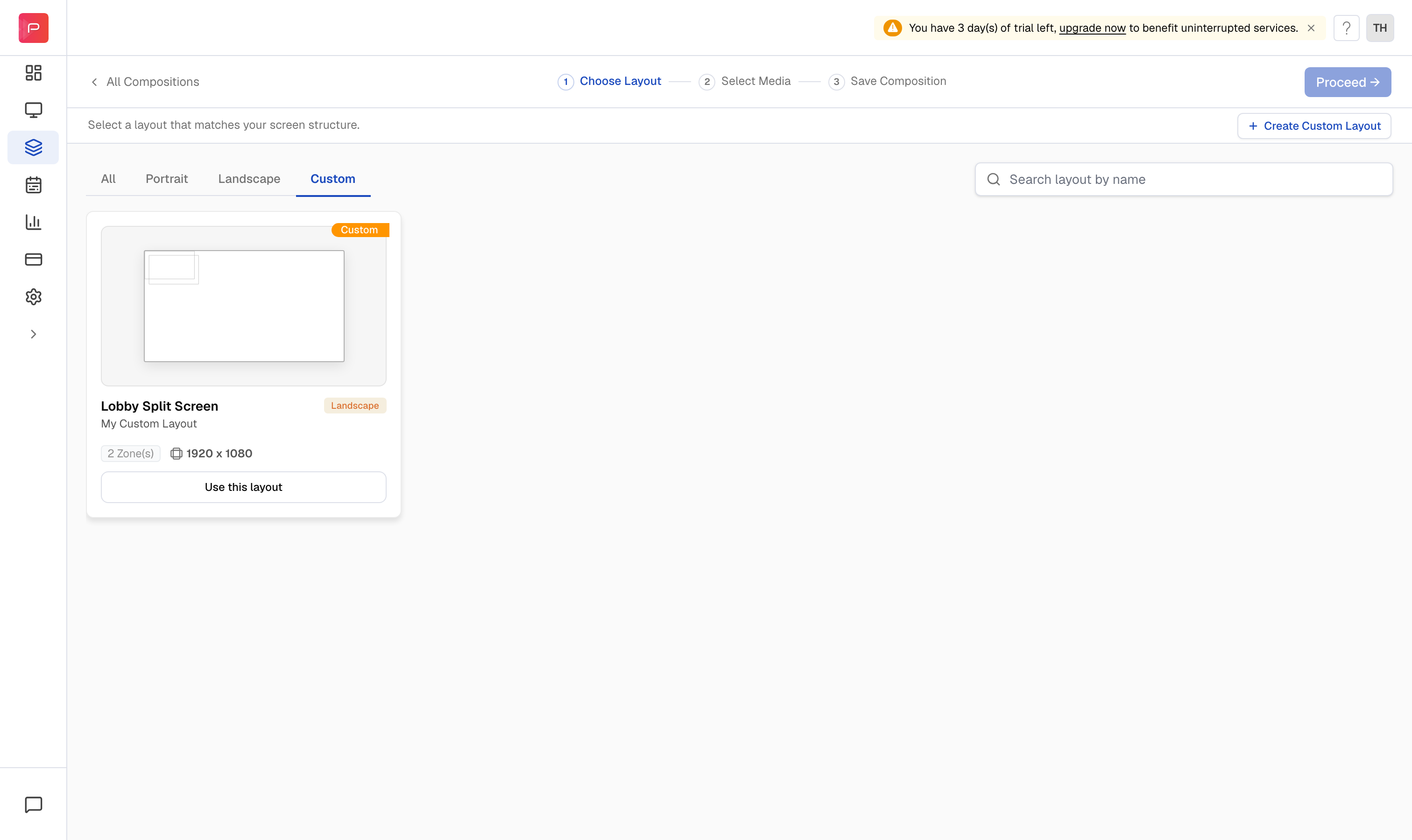
Related article: What is a Composition? How to create a Composition?