> ## Documentation Index
> Fetch the complete documentation index at: https://docs.pickcel.com/llms.txt
> Use this file to discover all available pages before exploring further.
# How to Change Pickcel On-Premise Server from IP Address to Domain Name
> Learn how to migrate your Pickcel on-premise deployment from IP address to domain name
If you're migrating your Pickcel on-premise deployment to use a domain name instead of an IP address, follow the steps below:
## Edit the `.env` File
Log in to your server terminal. Open the `.env` file using nano (or Vi): In this example: `nano .env`
Find and update the following fields with your domain name:
```bash theme={null}
SERVER_NAME=your.domain.com
PICKCEL_SERVER_HOST=http://your.domain_name.com
```
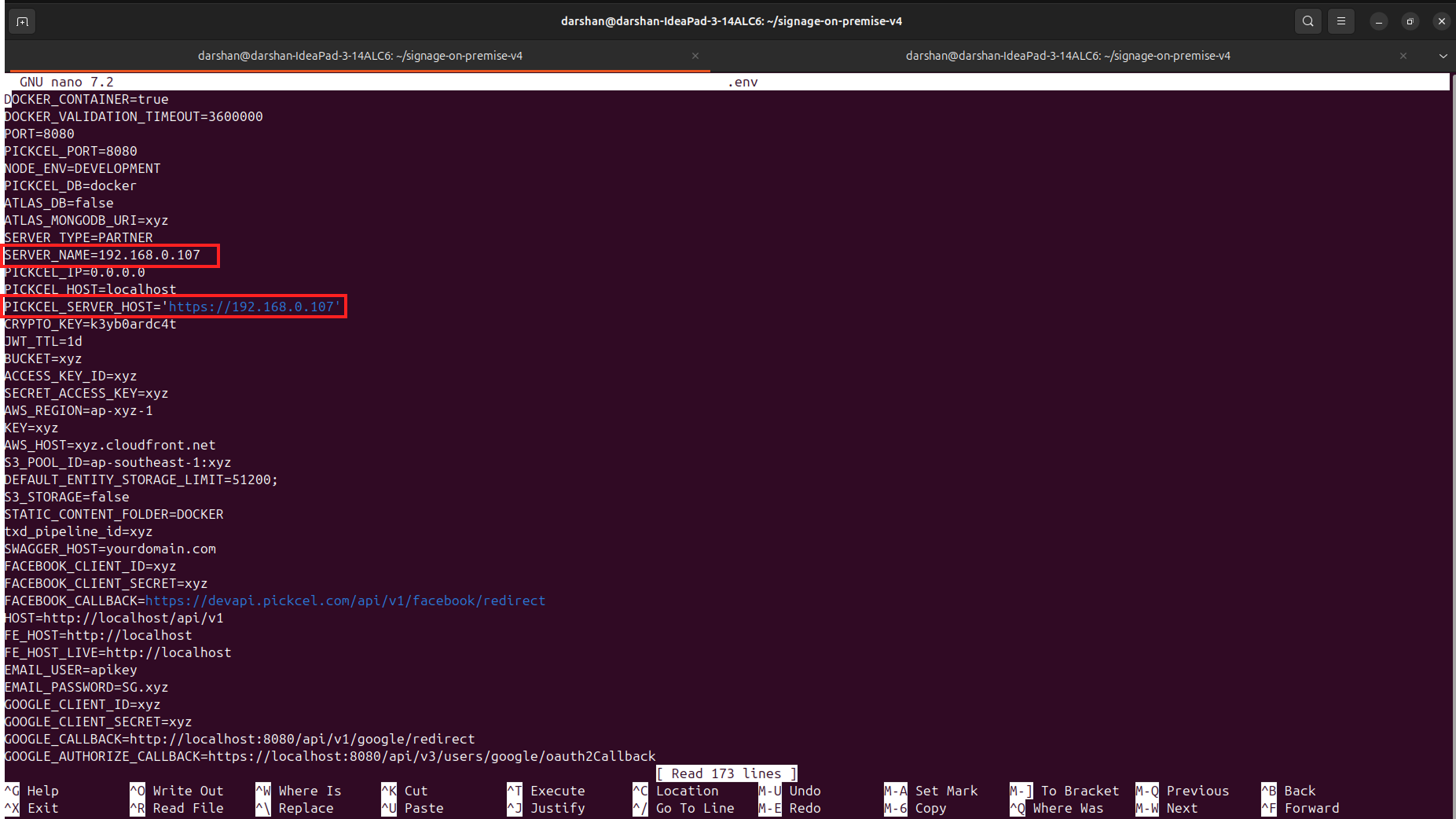 After making the changes, save the file: Press `Ctrl + X`, then press `Shift + S` to save and exit.
## Update the NGINX Configuration
Open the NGINX config file: `nano nginx/nginx.conf`
Scroll to the bottom and replace the existing server name or IP with your new domain name. Save and exit: Press `Ctrl + X`, then `Shift + S`
## Restart the Server
Apply the changes by restarting the Docker containers:
```bash theme={null}
sudo docker compose down
sudo docker compose up -d --build
```
Your Pickcel server should now be accessible via your domain name.
Should you encounter difficulties, please contact support at [contact@pickcel.com](mailto:contact@pickcel.com) for assistance.
After making the changes, save the file: Press `Ctrl + X`, then press `Shift + S` to save and exit.
## Update the NGINX Configuration
Open the NGINX config file: `nano nginx/nginx.conf`
Scroll to the bottom and replace the existing server name or IP with your new domain name. Save and exit: Press `Ctrl + X`, then `Shift + S`
## Restart the Server
Apply the changes by restarting the Docker containers:
```bash theme={null}
sudo docker compose down
sudo docker compose up -d --build
```
Your Pickcel server should now be accessible via your domain name.
Should you encounter difficulties, please contact support at [contact@pickcel.com](mailto:contact@pickcel.com) for assistance.