> ## Documentation Index
> Fetch the complete documentation index at: https://docs.pickcel.com/llms.txt
> Use this file to discover all available pages before exploring further.
# How to edit an existing composition in Pickcel?
> Learn how to edit an existing digital signage composition in Pickcel to update its media, zones, apps, or name
Update the media, zones, or apps inside a composition without rebuilding it from scratch. Any screen currently playing this composition picks up your changes as soon as you save.
Log in to [Pickcel Console](https://console.pickcel.com) and go to the **Composition** module.
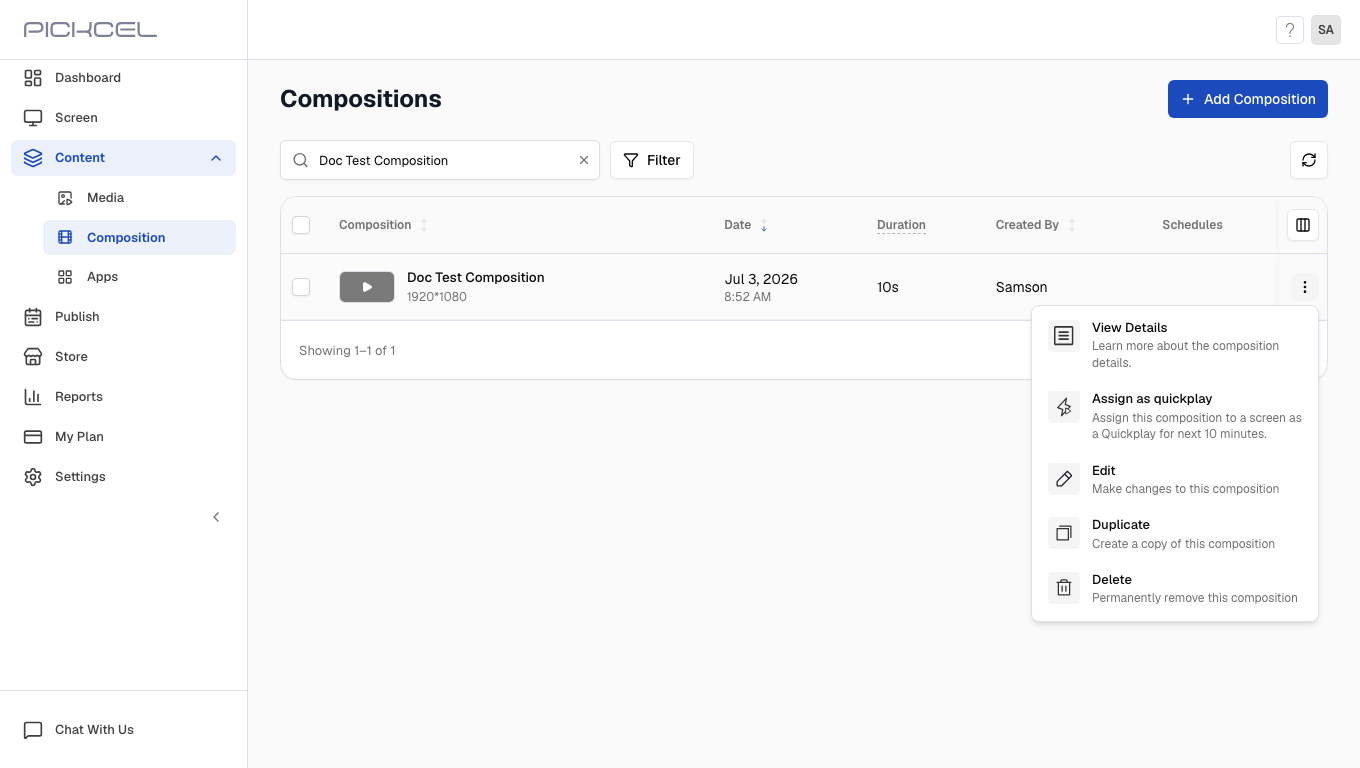
Find the composition you want to change, hover over its row, click the three-dot menu, then choose **Edit** from the dropdown.
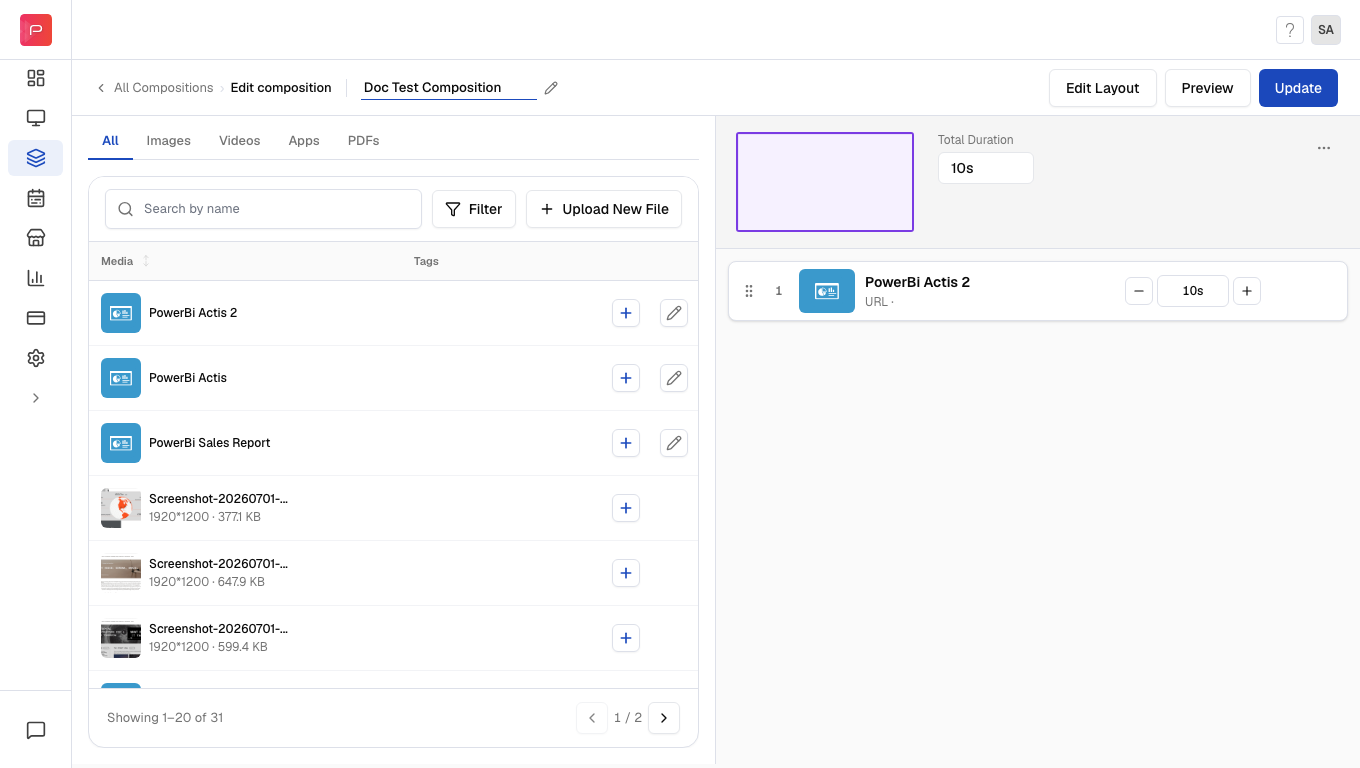
 Add, remove, or reorder media in any zone, swap the layout, or edit an app directly from the composition editor. Click **Update** once you're happy with the result.
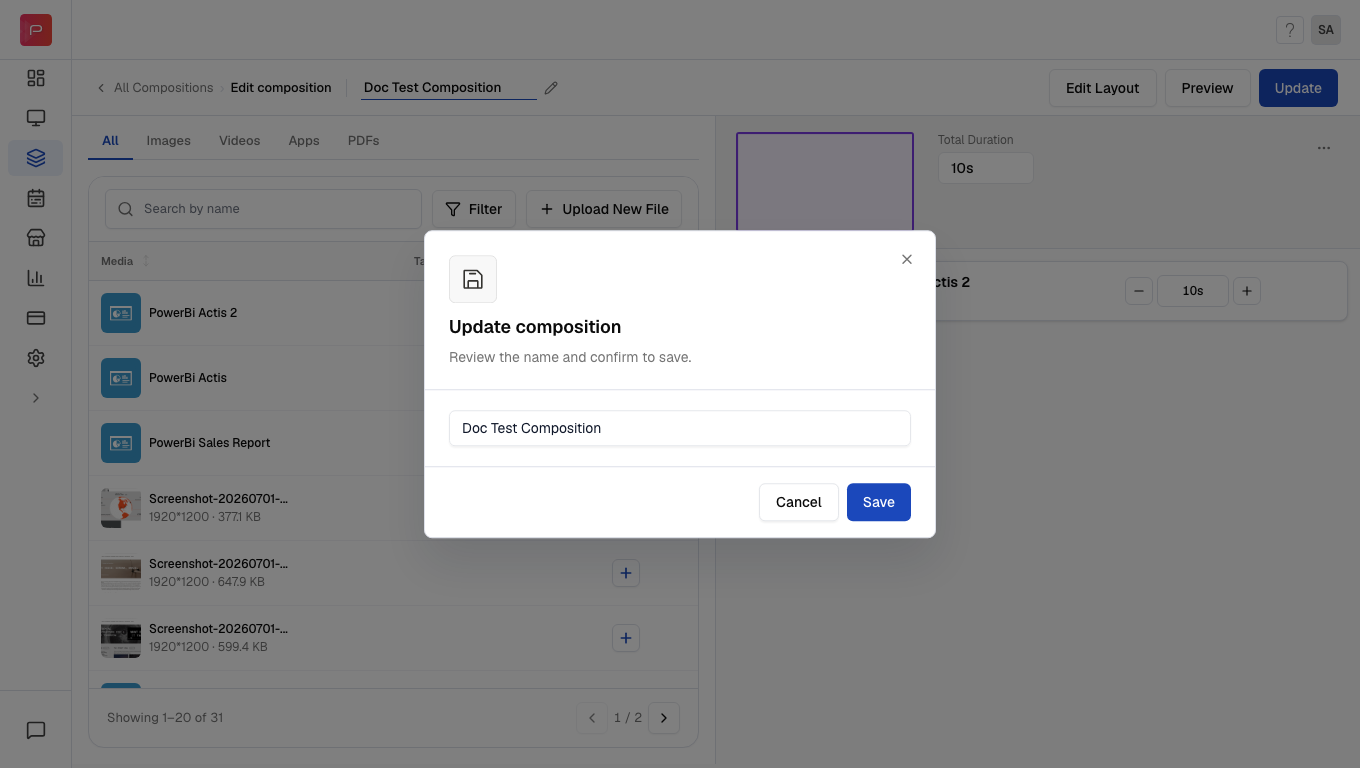
 In the **Update composition** dialog, review the name and click **Save** to apply your changes.
 Saving updates the composition everywhere it's already assigned. Screens playing it live, on a schedule, or as a default composition all refresh with the new content, no need to republish separately.
## Related
* [Compositions](/compositions/compositions), create a new composition from scratch
* [Layouts](/compositions/layouts), change the zone structure a composition is built on
* [Zones](/compositions/zones), understand what each zone can play
Saving updates the composition everywhere it's already assigned. Screens playing it live, on a schedule, or as a default composition all refresh with the new content, no need to republish separately.
## Related
* [Compositions](/compositions/compositions), create a new composition from scratch
* [Layouts](/compositions/layouts), change the zone structure a composition is built on
* [Zones](/compositions/zones), understand what each zone can play